
Why is my FBA inventory stranded when the listing looks fine?
Stranding is about your offer, not the detail page. Amazon holds the units but your specific SKU is inactive, usually because of a pricing rule, a suppression, a missing attribute, a closed SKU or a compliance review. Read the stranded reason in Manage FBA Inventory and apply the matching fix rather than relisting everything.
Key takeaways
- A live detail page can hide an inactive offer, which is what strands your FBA units.
- Minimum and maximum price settings are a commonly missed cause of stranding.
- Many listings stranding at once across unrelated products usually points to a system issue that clears within hours.
- If a SKU re-strands after relisting, the underlying cause is still there, so stop relisting and open a case.
- Stranded units keep paying storage, so set a deadline to decide between fixing and a removal order.
FBA inventory becomes stranded when Amazon holds sellable units in a warehouse but has no active offer to sell them through. The listing can look fine from the outside while something underneath (a pricing rule, a suppression, a missing attribute, a deleted SKU or a compliance flag) has switched the offer off.
The fix depends entirely on the reason Amazon gives, so the first job is reading that reason rather than clicking “relist” on everything. This post maps each common reason to its fix, explains the outages that clear themselves, and sets out when to stop waiting and pull the stock.
Why is my FBA inventory stranded when the listing looks fine?
Because “listing looks fine” usually means the detail page looks fine, and stranding is about your offer, not the page. A detail page can be live with other sellers on it while your specific SKU is inactive.
The two forum threads behind this topic show both sides of the problem.
On Sellers Ask Sellers, many sellers reported listings moving into stranded inventory marked “listing error” on March 20, 2026, despite healthy stock. It looked random and rotated between listings for a couple of hours. Refreshing the stranded reason or clicking “List on FBA” fixed some; most cleared on their own within hours. One seller estimated they lost about 20% of that day’s sales.
On the Amazon Seller Forums, a seller had several products stranded with units showing as available but inactive, and more products kept joining the list. The most specific suggestion in the thread was a pricing one: if a minimum price is set on the offer and the price goes below it, the offer can deactivate and the inventory strands.
So there are two kinds of stranding. System-wide glitches that clear by themselves, and account-specific causes that will sit there until you fix them.
What does each stranded reason mean, and how do I fix it?
Start in Seller Central under Inventory, then Manage FBA Inventory, then the Stranded inventory view. Each SKU shows a reason. Work from this table.
| Stranded reason (as you’ll typically see it) | What it usually means | What to do |
|---|---|---|
| Listing error / inactive, with no detail | Offer data failed validation, or a temporary system issue | Check status page and forums first; if isolated, refresh or relist, then open a case |
| Pricing error / price alert | Price outside your min/max, or flagged as potentially wrong | Review min and max price fields and your repricer rules; correct and reactivate |
| Suppressed / search suppressed | Missing required attribute, image or compliance issue on the listing | Fix the item in the Fix your listings or Improve listing quality area, then relist |
| Listing deleted or SKU closed | Bulk file, feed or another user closed or deleted the SKU | Recreate the offer with the same SKU and FNSKU, then relist on FBA |
| ASIN merged or variation removed | Catalog change moved or removed the child | Match units to the surviving ASIN, or open a catalog case |
| Hazmat or compliance review | Dangerous goods, pesticide, safety or document review | Solve the review first; relisting will not stick until it clears |
| Category or brand approval | Ungating lapsed or approval removed | Reapply, or remove the units |
A few notes on the less obvious ones.
Pricing. This is the cause sellers most often miss because it does not look like an error. Repricers and min/max price fields can push an offer out of bounds, especially around Prime Big Deal Days and Black Friday when prices move fast. Add the minimum price and maximum price columns to your inventory view and look at them before anything else.
Compliance. Nova Data’s stranded inventory guide lists compliance blocks, including missing hazmat information, among the main causes. A relist will not survive a review that is still open. If your notice mentions dangerous goods, work through our guide to getting through a hazmat review first.
Deleted SKUs. A flat file upload with the wrong update type, or a team member cleaning up “old” SKUs, can close an SKU that still has FBA units. Check your upload history and user permissions.
How do I tell a glitch from a real problem?
Use simple decision rules.
- Many listings at once, across unrelated products, starting at the same moment: probably a system issue. Check the forums and Sellers Ask Sellers. Wait a few hours before you change anything, because mass edits during an outage can create real problems.
- One or a handful of SKUs with a specific reason: a real cause. Fix it now.
- The same SKU keeps re-stranding after you relist: the underlying cause has not been fixed. Stop relisting and open a case with the exact reason text and the history.
- Stranded with no reason or an unhelpful reason after 48 hours: open a case. In the March 2026 thread, one seller with a persistent single-listing error had support fix it from their side within minutes once they reached a person.
Avoid deleting and recreating listings as a first step. One suggestion in the forum thread was to delete the listing, wait 30 minutes and relist. That can work, but it can also create a new SKU, separate the units from their history, or trigger a fresh review. Treat it as a last resort, not a fix.
When should I create a removal order instead of waiting?
Stranded units still pay storage fees, and stranded inventory also counts against your Inventory Performance Index. If the cause is going to take weeks to solve (a category reapproval, a compliance review that has stalled), compare the cost of waiting against the cost of removal.
Here is how we frame it, with hypothetical numbers. Say you have 400 stranded units of a standard-size product at 0.1 cubic feet each, so 40 cubic feet. At the peak monthly storage rate of $2.40 per cubic foot that applies from October to December (see our breakdown of Q4 2026 Amazon fees and confirm your own rates), that is $96 a month in storage alone. Small on its own. But if those units are aging toward long-term storage surcharges, if they are dragging your IPI below the threshold that affects capacity, or if the product cost you $15 each and the review could take months, the calculation changes.
Rules we use:
- Fixable in days: fix and relist, do not remove.
- Review with no clear end date, units aging: create a removal order for most of the stock, keep a small amount in place if you expect a quick reversal.
- Product you would not relist anyway: remove or dispose now, rather than paying to store a decision. Our guide on whether to remove, dispose of or liquidate aged inventory covers the economics.
Removal orders are not instant. Nova Data reports they take 14 to 30 days to process, and storage fees keep accruing until units physically leave. Factor that into the decision, and check the current figures in Seller Central.
What we'd do this week
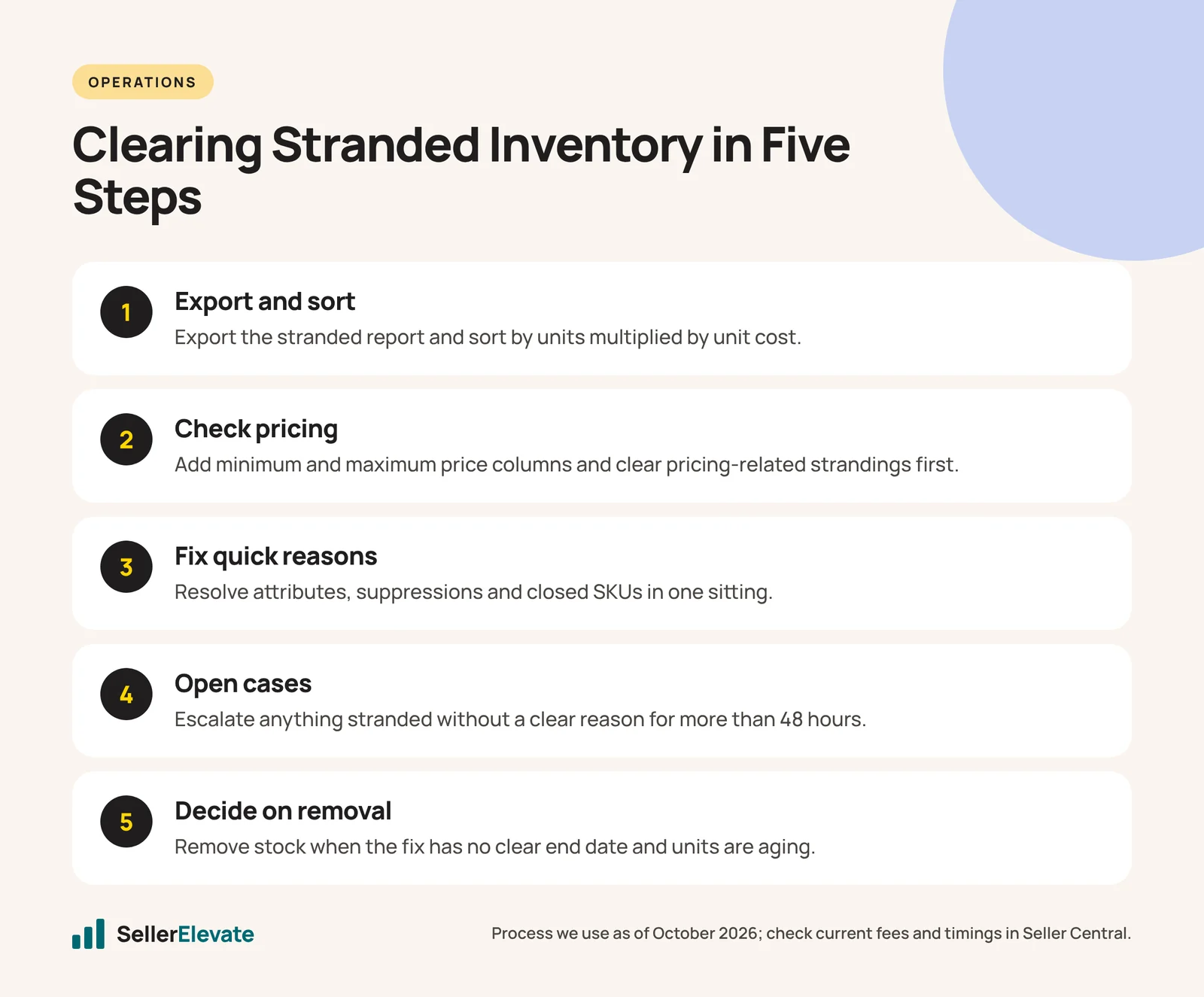
- Export the stranded inventory report and sort it by units multiplied by unit cost, so the expensive problems come first.
- Add the minimum and maximum price columns to your inventory view and clear any pricing-related strandings.
- Group the rest by reason and fix the quick ones (attributes, suppressions, closed SKUs) in one sitting.
- Open cases for anything stranded with no clear reason for more than 48 hours, quoting the reason text, SKU, FNSKU and dates.
- Set a weekly 15-minute check. Most stranding costs money because nobody looked for two months.
If stranded inventory is part of a bigger pattern (falling IPI, capacity limits, constant listing errors), it is worth looking at the account as a whole. That is what our account audit is for, and our account management team handles this kind of weekly hygiene for clients. For the IPI side of the problem, see our post on what to fix first when your IPI score drops.
Frequently asked questions
Does stranded inventory still pay storage fees?
Yes. Units sitting in a fulfillment center pay storage whether or not they have an active offer, and stranded inventory also weighs on your Inventory Performance Index. That is why long-running strandings should be weighed against a removal order rather than left to sit.
Should I delete and recreate a stranded listing?
Only as a last resort. Deleting and relisting can create a new SKU, separate units from their history or trigger a fresh review. Fix the stated reason first, and open a case with the reason text, SKU and dates if the reason is still unclear after 48 hours.
How long does a removal order take?
Nova Data reports removal orders take 14 to 30 days to process, and storage fees keep accruing until the units physically leave the building. Confirm current timing in Seller Central before you plan around it, and start removals early in Q4.
What if many of my listings stranded at the same time?
Check the forums and Sellers Ask Sellers before changing anything. On March 20, 2026, many sellers saw listings strand as 'listing error' for a couple of hours, and most cleared on their own. Mass edits during an outage can cause real problems.
Sources
- Sellers Ask Sellers: Listings went stranded as ‘Listing error’ despite high levels of stock (March 2026)
- Amazon Seller Forums: Inventory stranded, shows available but inactive (undated, accessed October 2026)
- Nova Data: Amazon stranded inventory fix (July 20, 2026)
Get the honest version of your numbers
A free account audit from the person who would actually run your account.