Do backend search terms still matter on Amazon?
Yes. Backend search terms are still indexed in 2026 and remain the best place for synonyms, misspellings and alternate names. They matter less on their own because Amazon's search reads the whole listing for meaning, and going over the byte limit may cause Amazon to ignore the entire field.
Key takeaways
- Backend search terms still index in 2026, but they support the visible listing rather than replace it.
- Recent guides put the limit at 250 bytes; staying at or under 249 keeps you inside either reading.
- Going over the limit may cause Amazon to ignore the entire field, not just the excess.
- Leave out brand names, ASINs, competitor names, claims, punctuation and words already in the title or bullets.
- Test indexing by searching a backend-only term together with your brand name or ASIN.
Yes. Backend search terms still get indexed in 2026, and they are still the cleanest place to cover synonyms, misspellings and alternate names that would read badly on the page. What has changed is that they matter less on their own: Amazon’s search now reads the whole listing for meaning, so the backend field is a supporting input, not a ranking shortcut.
The bigger risk is not that the field is ignored. It is that sellers fill it in a way that gets it ignored, by going over the byte limit or wasting it on words that are already indexed elsewhere.
Why do people think backend terms stopped mattering?
Two reasons. First, Amazon’s search has moved toward understanding intent. GigaBrands’ February 2026 guide describes the COSMO system as “increasingly semantic,” understanding intent rather than only matching keywords, and notes that fields like Subject Matter, Intended Use and Target Audience are becoming more important, not less. Second, the shopping assistant now answers questions from listing content, which pushes attention toward the visible page.
Neither of those removes the backend field. A shopper who types “ear buds” with a space, or a regional name for your product, still needs a keyword match somewhere. The backend field is where those variants go without cluttering your title. We covered how the semantic side works in our post on what COSMO actually changes about listing SEO.
What is the byte limit, and what happens if you go over?
The limit is measured in bytes, not characters. Both SellerSprite’s 2026 guide and GigaBrands put it at 250 bytes for the main Search Terms field in the US. Older guidance, and plenty of sellers, still quote 249. The safe move is to stay at or under 249 so you are inside either reading. Check the exact figure on the field’s help text in Seller Central, as of October 2026.
What happens over the limit matters more than the exact number. GigaBrands states that if you exceed the limit, Amazon may ignore the entire field, not just the excess. That makes an overfilled field the most expensive backend mistake there is, because the seller thinks the terms are working when none of them are. It is also the first thing we check when a listing does not show for a term that is clearly in its backend.
Byte traps
- Spaces count. SellerSprite notes the limit includes spaces and punctuation. Every space between words costs a byte.
- Accented and non-Latin characters cost more. Per GigaBrands, standard ASCII is 1 byte, accented characters are 2 bytes and CJK characters are 3 bytes each. A Spanish term with an accent uses more of the field than it looks.
- Punctuation costs bytes and adds nothing. Commas, semicolons and dashes are not needed. Separate words with spaces only.
To check the byte count, GigaBrands suggests pasting this into any browser console: new Blob(["your keywords here"]).size. It returns the byte count, not the character count.
What should you leave out of the field?
Combining both guides, plus what we see in audits, these waste bytes or create risk:
| Leave out | Why |
|---|---|
| Your own brand name | Already indexed from the brand field |
| ASINs and product identifiers | Not useful as search terms |
| Competitor brand names | GigaBrands warns these can trigger IP complaints |
| Words already in your title or bullets | Already indexed; repeating them adds nothing |
| Subjective claims (“best,” “top-rated”) | Policy risk; shoppers do not search them in a useful way |
| Temporary claims (“new,” “on sale”) | Go stale and add nothing |
| Stop words (“for,” “the,” “and”) | Spend bytes for no gain |
| Irrelevant high-volume terms | SellerSprite flags terms like “gift for her” on products that are not gifts |
| Commas and separators | Spaces only |
What to put in instead: common plurals and synonyms, frequent misspellings and spacing variants (SellerSprite’s example is “earbuds” vs “ear buds”), alternate product names, and use cases you could not fit naturally in the copy. Amazon’s own SEO guidance for sellers says to use lowercase, separate words with spaces, skip articles and prepositions, and treat the field as overflow for keywords that do not fit naturally elsewhere on the page.
What about the other backend fields?
The Search Terms field is not the only one. Depending on category, the listing edit page also offers attribute fields such as Subject Matter, Intended Use, Target Audience, material, size and color. These do two jobs: they feed filters in the left-hand navigation, and they give semantic search structured facts about the product. A shopper who filters for “stainless steel” never sees a product whose material field is blank, no matter what the Search Terms field says. GigaBrands’ point that these fields are becoming more important matches what we see. Fill every attribute your category offers with accurate values before you spend time polishing the 249 bytes.
You also do not need every word order. “Dog bowl steel” and “steel dog bowl” do not need separate entries; individual words combine.
How do you test whether a backend term is indexed?
Two simple methods.
The unique-term check. GigaBrands’ method: search Amazon for a term that only appears in your backend field together with your brand name or ASIN. If your product appears, the term is indexed. If not, look for a byte overrun or a policy issue.
The change log. SellerSprite suggests changing one backend term, waiting 7 days, then searching for that term to see whether the product appears, and keeping a keyword change log. We add one step: record impressions for the term in your Search Query Performance data before and after, so you see whether indexing turned into visibility. Our guide to the Search Query Performance dashboard shows how to read that.
A worked example (hypothetical)
A stainless steel pet bowl listing has this backend field:
“best dog bowl, Brand X dog bowl, stainless steel dog bowl, dog dish, puppy bowl, cat bowl, food bowl, water bowl, pet bowl for dogs, top rated”
Problems: commas, a brand name, “best” and “top rated,” and “dog,” “bowl,” “stainless” and “steel” are probably already in the title. Rewritten:
“dish puppy cat kitten feeder water food metal non slip no tip raised elevated”
Every word is new to the index, no punctuation, no claims, and the byte count is far lower, leaving room for misspellings or alternate names.
What we'd do this week
- Export your top 20 ASINs’ backend search terms from a category listing report or the edit page.
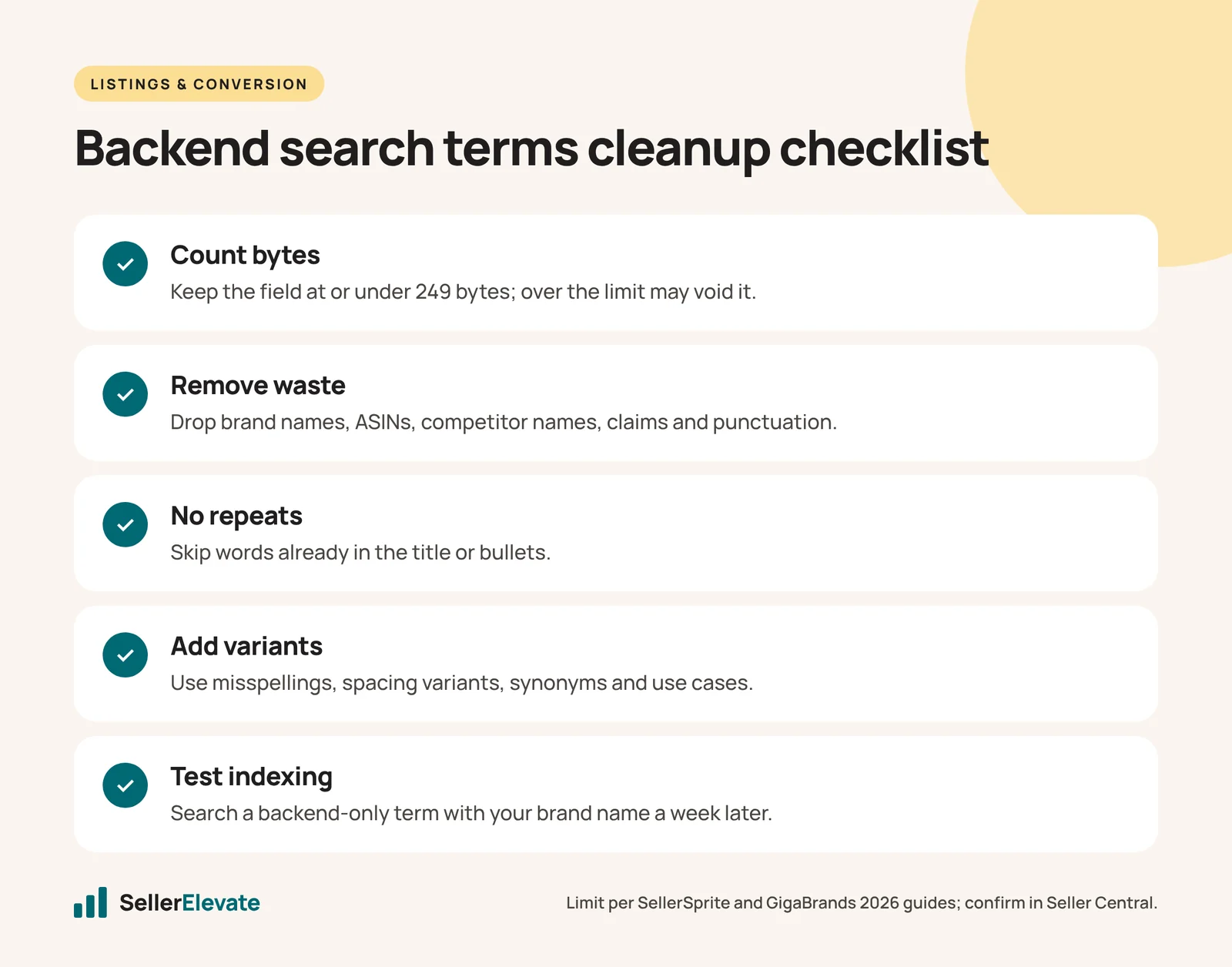
- Check the byte count of each field. Anything over 249, cut first.
- Strip brand names, competitor names, ASINs, claims, punctuation and anything repeated from the title or bullets.
- Fill the space with misspellings, spacing variants, synonyms and use cases pulled from your own search term reports.
- Fill the intent fields (Subject Matter, Intended Use, Target Audience) where your category offers them.
- Run the unique-term check on three ASINs one week later.
Backend terms are maintenance, not a growth strategy. They will not rescue a listing that does not convert, and they will not replace a strong title. If you want a full review of how your listings are indexed, that is part of our listing optimization work, and a quick pass is included in a free audit.
Frequently asked questions
Is the backend limit 249 or 250 bytes?
Recent 2026 guides from SellerSprite and GigaBrands put it at 250 bytes for the US Search Terms field, while older guidance quotes 249. Stay at or under 249 so you are safe under either reading, and check the help text on the field in Seller Central for the current figure.
Should I put misspellings in backend search terms?
Yes, if shoppers actually use them. Common misspellings and spacing variants, such as earbuds versus ear buds, are one of the best uses of the field because they would look careless in the title or bullets. Pull them from your search term reports rather than guessing.
Do I need commas between backend keywords?
No. Separate words with spaces only. Commas, semicolons and other punctuation use bytes and add nothing to indexing. Amazon's own seller SEO guidance says to use lowercase and spaces and to skip articles and prepositions.
How do I count bytes instead of characters?
Paste new Blob(["your keywords here"]).size into any browser console, as GigaBrands suggests. It returns the byte count. Plain English letters and spaces are one byte each, accented characters are two bytes and CJK characters are three, so non-English terms use more of the field than they appear to.
Sources
- SellerSprite: Amazon backend search terms best practices 2026 (April 2026, updated June 2026)
- GigaBrands: Amazon backend keywords guide (February 2026)
- Amazon: Amazon SEO guide for sellers (accessed October 2026)
Get the honest version of your numbers
A free account audit from the person who would actually run your account.