What are Amazon main image requirements?
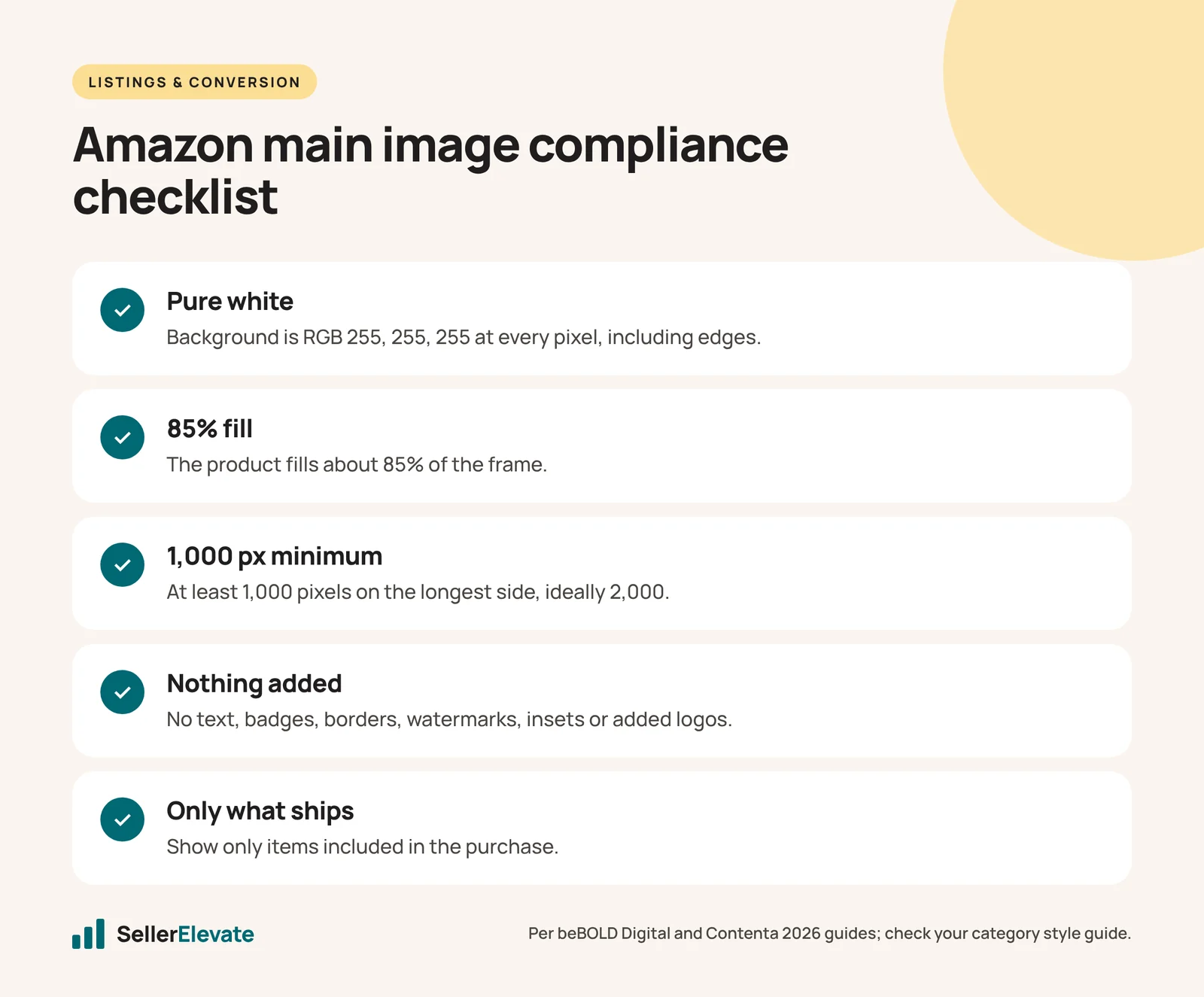
The main image must show the product on a pure white background (RGB 255, 255, 255), filling about 85% of the frame, at least 1,000 pixels on the longest side, with no added text, logos, badges, borders, watermarks or props not included in the purchase. Breaking these rules can get the listing suppressed.
Key takeaways
- The main image needs a pure white RGB 255, 255, 255 background with the product filling about 85% of the frame.
- Images under 1,000 pixels on the longest side are the most common rejection; aim for 1,600 to 2,000 pixels or larger.
- Text, badges, borders, watermarks, insets and props not included in the purchase are prohibited on the main image.
- Edits that improve how the product itself looks are safe; edits that add information belong in secondary images.
- Test main image variants with Manage Your Experiments rather than uploading risky images to a live listing.
The Amazon main image must show the product on a pure white background (RGB 255, 255, 255), filling about 85% of the frame, with no added text, logos, badges, borders, watermarks or props that are not included in the purchase. Break those rules and the listing can be suppressed, which means it stops appearing in search until you fix it.
Everything beyond that hard core is a grey area. Sellers push the main image because it drives click-through, and some of those pushes work for months before an automated check catches them. This post separates the rules you cannot bend from the ones sellers test, and shows how to test a main image without risking the listing.
What are the hard main image requirements?
These are the specifications that both 2026 guides we checked agree on. beBOLD Digital’s 2026 update and Contenta’s 2026 requirements guide line up on almost every point, and Amazon’s own seller SEO guide repeats the white background and the 85% fill.
| Requirement | Specification |
|---|---|
| Background | Pure white, RGB 255, 255, 255 (#FFFFFF) |
| Product fill | About 85% of the frame |
| Minimum size | 1,000 pixels on the longest side (enables zoom) |
| Recommended size | 1,600 to 2,000 pixels or larger |
| Maximum size | 10,000 pixels on the longest side |
| Formats | JPEG (preferred), PNG, TIFF, non-animated GIF |
| File size | Under 10 MB |
| Shape | Square (1:1) recommended |
| Color mode | sRGB recommended |
On color mode, the sources differ slightly: Contenta lists sRGB or CMYK as accepted, while beBOLD recommends sRGB. Use sRGB. It displays correctly on screens and avoids color shifts.
Prohibited on the main image:
- Text of any kind, including promotional copy
- Logos overlaid on the image (a logo printed on the product or packaging is part of the product)
- Price badges, “Best Seller” banners or similar labels
- Watermarks
- Borders, colored frames or gradient backgrounds
- Picture-in-picture insets
- Accessories or props not included in the purchase
Contenta calls an image under 1,000 pixels on the longest side “the single most common rejection.” beBOLD makes the broader point: listings are most commonly suppressed because of main image violations, not copy issues. Rules and enforcement can change, so check the image requirements page and your category style guide in Seller Central, as of October 2026.
One newer rule sits outside the main image itself but affects every image: Amazon now requires a label on AI-generated models in product images. We covered it in Amazon’s AI-generated model image label.
Which grey areas do sellers push, and how risky are they?
These are the edits we see sellers test. Our risk ratings are judgment from audit work, not Amazon policy. Where a rule is not spelled out in the sources above, check your category style guide.
| What sellers try | Risk | Our view |
|---|---|---|
| Near-white background (for example 250, 250, 250) | High | Automated checks look for pure white. Not worth it. |
| Natural shadow or reflection under the product | Low to medium | Common on top listings; keep it subtle and keep the rest pure white. |
| 3D render instead of a photo | Low if accurate | Fine if it looks like the real item. A render that flatters the product invites returns and complaints. |
| Packaging shown next to the product | Medium | Acceptable when the packaging is what ships; risky when it reads as a prop. |
| Multipack showing all units | Low | Show exactly what ships. Showing more units than included is a violation. |
| Product cropped by the frame edge | Medium | Can look bigger in search; can also fail fill and “whole product” checks. |
| Icons, callouts or “2-pack” text | High | This is text. It belongs in images two to seven. |
| Props that suggest use (a plant in a planter) | High | Props not included in the purchase are prohibited. |
The pattern: anything that adds information to the main image is risky. Anything that improves how the product itself looks (angle, lighting, fill, sharpness) is safe and is where most of the click-through gain is anyway.
Why does a compliant main image still get suppressed?
Sometimes the image passes the rules but fails an automated check. The common causes we see:
- Off-white pixels. A background that looks white but has edge pixels at 253 or 254 from a soft cutout. Fix by re-clipping and flooding the background to pure white.
- Low fill. A tall, thin product in a square frame can fall well below 85%. Rotate it to a diagonal or show it at an angle.
- Upscaled files. An image resized from 600 to 2,000 pixels passes the size check but looks soft at zoom. Reshoot or re-render.
- A changed image that no longer matches the product. If a variation’s main image shows a different color from the child ASIN, it can be flagged or trigger returns.
- Image-recognition calls. Automated checks sometimes misread a printed logo or pattern as added text. If you are confident it is printed on the product, open a case with a photo of the physical item.
To find suppressed listings, check Inventory, then the Fix Your Products or listing quality view in Seller Central. A suppressed listing usually names the field at fault.
How do you test a main image without risking the listing?
Do not test by uploading a risky image to the live listing and waiting to see whether it gets caught. Use these steps instead.
- Build two or three compliant variants. Change one thing at a time: angle, fill, lighting, showing the product in its packaging or out of it.
- Run a Manage Your Experiments test if you are brand registered and the ASIN is eligible. Amazon’s tool splits traffic between the current image and the new one and reports the result. Our guide to A/B testing an Amazon listing covers setup and how long to run it.
- If you are not eligible, run a sequential test: change the image, hold price and ad spend steady, and compare click-through on your Sponsored Products ads for two weeks before and after. It is noisier than a split test, but it is honest about direction.
- Check the image at thumbnail size on a phone. Most shoppers see the main image at a small size in search. Detail that looks great at 2,000 pixels can disappear.
- Put the information in images two to seven. Sizes, pack counts, certifications and comparisons belong there. Our listing images team builds those stacks.
A main image checklist
- Background is pure white at every pixel, including edges
- Product fills about 85% of the frame
- At least 1,000 pixels on the longest side, ideally 2,000
- No text, badges, borders, watermarks, insets or added logos
- Only items included in the purchase are shown
- Variation images match the actual child ASIN
- Readable and recognizable at thumbnail size on a phone
What we'd do this week
- Check every top-20 ASIN’s main image against the checklist above.
- Look in Seller Central for suppressed or at-risk listings and fix image issues first, since they are often the quickest to resolve.
- Replace any main image under 1,600 pixels with a sharper file.
- Move any text or badges from the main image into secondary images.
- Pick your highest-traffic ASIN and set up a main image experiment with one compliant variant.
The main image is the highest-leverage asset on the listing because it decides whether the click happens at all. If you want help building a variant that wins on click-through without breaking the rules, that is what our main image CTR service is for.
Frequently asked questions
Can my main image show the product packaging?
Often yes, when the packaging is what the customer receives and it does not read as a prop. Showing packaging that is not included, or using it to add marketing text, is risky. Check your category style guide in Seller Central, because some categories have specific rules on packaging.
Is a shadow allowed on an Amazon main image?
A subtle natural shadow or reflection under the product is common on top listings and is generally low risk, as long as the rest of the background stays pure white. Heavy drop shadows, gradients or colored backgrounds are a different matter and can trigger suppression.
What file format should I use for the main image?
JPEG is preferred because it loads faster, though PNG, TIFF and non-animated GIF are also accepted. Keep the file under 10 MB, use sRGB color, and make it square at 2,000 pixels or more so zoom works well on desktop and mobile.
How do I fix a suppressed listing caused by the image?
Find the listing in Seller Central's listing quality or Fix Your Products view, which usually names the field at fault. Replace the image with one that has a pure white background at every pixel, 85% fill and at least 1,000 pixels on the longest side, then resubmit. If an automated check misread printed branding as added text, open a case with a photo.
Sources
- beBOLD Digital: Amazon image requirements, 2026 update (February 2026, updated August 2026)
- Contenta: Amazon product photo requirements 2026 (March 2026)
- Amazon: Amazon SEO guide for sellers (accessed October 2026)
Get the honest version of your numbers
A free account audit from the person who would actually run your account.