What is Amazon's new 75-character title rule and will it hurt my ranking?
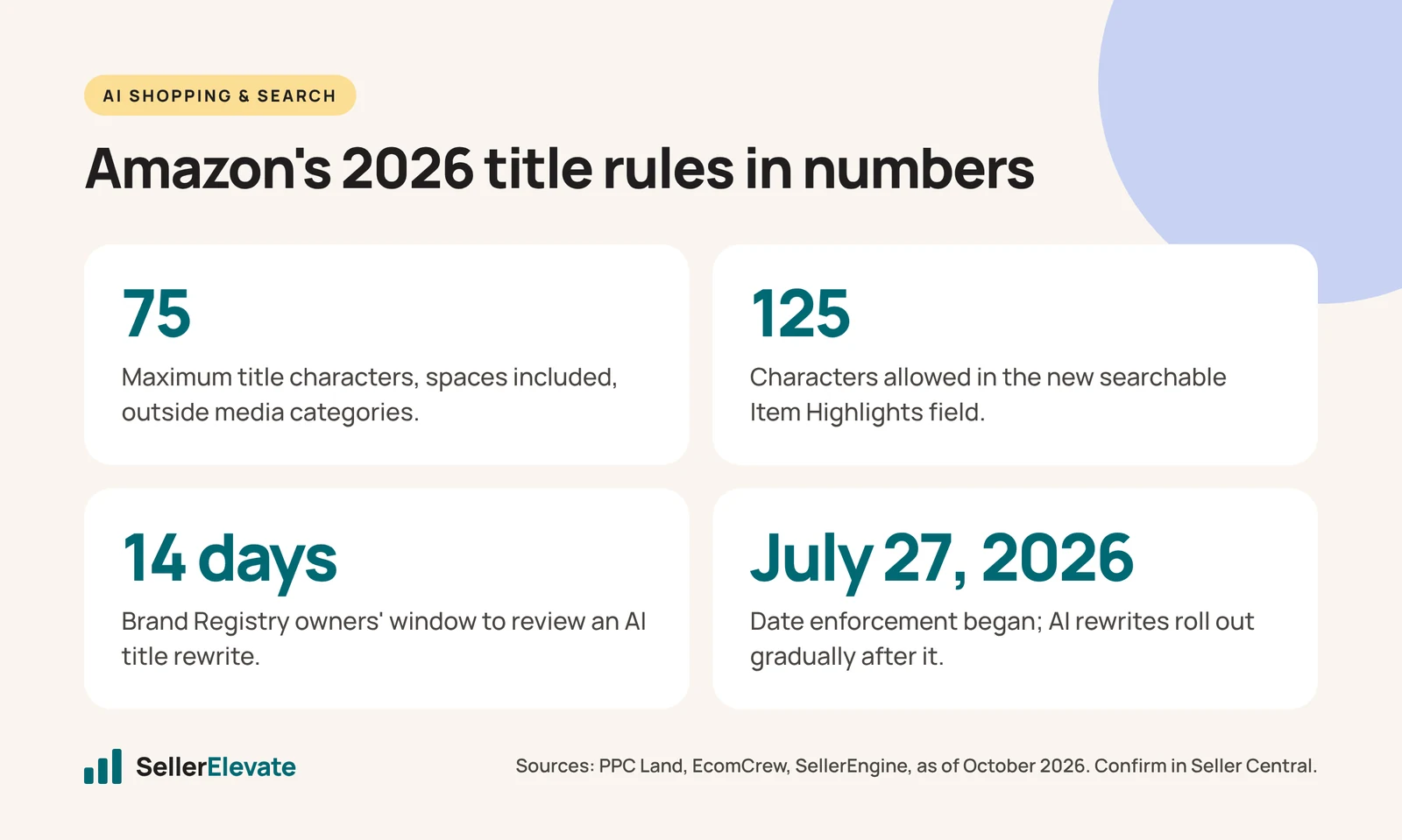
Since July 27, 2026, Amazon titles outside media categories must be 75 characters or fewer, including spaces, or Amazon's AI rewrites them. Amazon says search is unchanged. If you rewrite the title yourself, keep your top keyword near the front and move the rest into the 125-character Item Highlights field, ranking should hold.
Key takeaways
- Amazon titles in every category except media have been capped at 75 characters, including spaces, since July 27, 2026.
- The new Item Highlights field holds up to 125 characters, is searchable, and appears near the title in search and on the detail page.
- Brand Registry owners get 14 days to review an AI title rewrite; if they do nothing, Amazon's version goes live.
- Build each title as brand, primary keyword, one differentiator and size or variant, choosing the keyword by purchases rather than impressions.
- Avoid rewriting top sellers right before Black Friday, since one seller reported a two-week traffic dip after updating.
Since July 27, 2026, Amazon product titles in every category except media must be 75 characters or fewer, spaces included, and titles that break the rule are being rewritten by Amazon’s AI. It should not hurt your ranking if you rewrite the title yourself, keep your best-selling keyword near the front, and move the rest into the new 125-character Item Highlights field.
The danger is not the limit. It is letting an AI that has never seen your search term report decide which words survive.
Below is what changed, what we know about search impact (and what we don’t), a rewrite method with five before-and-after examples, and how to catch AI rewrites before they go live. This is part of a cluster of 2026 listing rule changes we cover together; the others are linked at the end.
What exactly changed, and when?
Amazon posted the change on the Seller Forums on June 10, 2026, according to PPC Land, and enforcement began on July 27. Here is what we could confirm as of October 2026:
| Item | What the sources say |
|---|---|
| Title limit | 75 characters, including spaces |
| Previous limit | Up to 200 characters in most categories |
| Exempt | Media: books, music, video and software |
| Item Highlights | New field, up to 125 characters, searchable, shown near the title in search and on the detail page |
| Non-compliant titles | Rewritten “gradually” by Amazon’s AI after July 27 |
| Brand Registry owners | 14 days to review, modify or approve an AI rewrite before it goes live |
| Sellers without Brand Registry | No pre-implementation review period reported |
| Bulk file updates | Typically live within about eight hours (PPC Land); 24 to 48 hours to show everywhere (SellerEngine) |
The old style rules still apply on top. EcomCrew lists no promotional phrases such as “free shipping”, none of the special characters ! $ ? _ { } ^ ¬ ¦, no word used more than twice, and numerals instead of spelled-out numbers.
Two practical snags. PPC Land reports sellers hitting error 100476 (“This attribute ‘Item Highlight’ is currently unsupported”) when adding the field, and SellerSprite notes the AI rollout is gradual through 2026, so a listing that has not been touched yet is not safe. It is just not processed yet. Confirm the current rule for your category and marketplace in Seller Central before you bulk-edit.
Will the 75-character rule hurt my ranking?
Probably not, if you do the rewrite yourself. The honest version has three parts.
What Amazon says. SellerEngine reports Amazon’s guidance that “search and discoverability are unchanged” and that Item name and Item Highlights are treated as equivalent search inputs.
Where sources disagree. PPC Land cites a LinkedIn discussion claiming Item Highlights is weighted “more heavily than generic back-end search terms.” That is not in Amazon’s own wording as reported by SellerEngine, so we would treat it as unconfirmed. Either way, Highlights is searchable and visible, which already makes it better real estate than backend terms.
What sellers saw. One seller quoted by PPC Land reported a two-week traffic dip on updated titles, which they put down to reindexing, with early signs of recovery. One report is not a pattern, but it is a good reason not to rewrite your top sellers in the week before Black Friday.
The risk we actually worry about is the AI version. As SellerSprite puts it, Amazon’s AI optimizes for readability and clarity, and you optimize for conversion and ranking. Those overlap, but not always. An AI title can keep the material and drop the size, or swap the phrase that drives most of your purchases for a “cleaner” synonym.
How do I rewrite a title to 75 characters without losing keywords?
EcomCrew’s structure is a good base: Brand + primary keyword + one differentiator + size or variant. We add a data step in front of it.
- Pull 60 to 90 days of keyword data. Use Brand Analytics Search Query Performance and your PPC search term report. Rank terms by purchases, not impressions.
- Pick one primary phrase. The highest-purchase term that honestly describes the product. Put it straight after the brand name.
- Keep the variant shoppers filter on. Size, count, capacity or color. Dropping it is the fastest way to raise wrong-item returns.
- Add one differentiator if there is room. A material, a key feature, or what is in the box.
- Move everything else. Use cases, audiences and secondary features go to Item Highlights, bullets or backend terms.
- Count with a tool, not by eye. Aim for 65 to 75 characters so you are not leaving space empty.
Five before-and-after titles
These are illustrative generic products, not client listings. Character counts include spaces and were checked with a script.
| Product | Before (chars) | After (chars) |
|---|---|---|
| Drawer organizer | CedarHome Bamboo Drawer Organizer Set of 6 Adjustable Kitchen Utensil Tray Divider for Silverware, Cutlery, Office Supplies, Bathroom, Bedroom Dresser Storage, Natural Wood (172) | CedarHome Bamboo Drawer Organizer Set of 6, Adjustable Dividers, Natural (72) |
| Dog bowl | BrightPaw Slow Feeder Dog Bowl Large Breed Anti Gulping Maze Puzzle Feeder Non Slip Food Safe BPA Free Dishwasher Safe for Fast Eaters Dogs and Cats, 4 Cups, Teal (162) | BrightPaw Slow Feeder Dog Bowl, Large, 4 Cups, Non Slip Maze Design, Teal (73) |
| Trekking poles | SummitGear Trekking Poles 2 Pack Collapsible Lightweight Aluminum Hiking Walking Sticks with Quick Lock Cork Grip Anti Shock for Men Women Seniors Backpacking Snow Mountain (172) | SummitGear Trekking Poles 2 Pack, Collapsible Aluminum, Cork Grip (65) |
| Desk lamp | LumaDesk LED Desk Lamp with Wireless Charger USB Port Dimmable Eye Caring Table Lamp 5 Color Modes 10 Brightness Levels Touch Control for Home Office Study Reading, Black (170) | LumaDesk LED Desk Lamp with Wireless Charger, Dimmable, 5 Color Modes (69) |
| Matcha | PureLeaf Organic Matcha Green Tea Powder 4 oz Ceremonial Grade Japanese Matcha for Latte Smoothie Baking Drinking, Vegan, Unsweetened, Antioxidant Rich, 113g (157) | PureLeaf Organic Matcha Green Tea Powder, Ceremonial Grade, 4 oz (64) |
What the rewrites have in common: the primary phrase follows the brand every time, the variant (Set of 6, 4 Cups, 2 Pack, 4 oz) stays, audience lists (“for Men Women Seniors”) leave the title, and repeated words (“Matcha” twice, “Feeder” twice) are cut.
What goes in Item Highlights, bullets and backend terms?
Give each field one job.
| Field | Job | What goes there |
|---|---|---|
| Title (75) | Identify the product and win the click | Brand, primary phrase, variant, one differentiator |
| Item Highlights (125) | Searchable comparison detail near the title | Materials, secondary features, use cases, compatibility |
| Bullets | Convert the shopper who is reading | Benefits, proof, objections answered |
| Backend search terms | Catch terms you cannot show | Synonyms, misspellings, long-tail variants |
SellerEngine says Amazon recommends comma-separated phrases rather than full sentences in Item Highlights. For the drawer organizer above, that could be: “Fits standard drawers, holds utensils, cutlery, office supplies and makeup, for kitchen, bathroom and dresser” (109 characters). It carries most of what left the title without repeating the title’s words.
Do not paste the back half of your old title into Highlights. Use it for terms the title does not already cover. And keep the Highlights honest: PPC Land reports AI-generated content being flagged for false or promotional claims, and the same scrutiny will apply to yours.
How do I catch and reverse AI title rewrites?
This assumes Brand Registry with the Brand Representative role. Without it, sources report you get no 14-day window, which makes the weekly check in step 6 more important.
- Open Review Listings Changes in Seller Central. Pending AI rewrites appear here. Each has a publish date; that is your deadline.
- Know what silence means. PPC Land reports that if you do nothing in the 14 days, Amazon’s version becomes your live title.
- Modify rather than accept or reject. The AI often gets the structure right and the keyword priority wrong.
- Check View enhancements. SellerEngine gives the path as Manage All Inventory, Edit, then View enhancements, where AI-recommended titles and Highlights sit.
- Fix live titles yourself. Edit single ASINs in Manage All Inventory, or use the Category Listings report in bulk. You cannot restore an old over-limit title; rebuild a compliant one.
- Check your top 20 ASINs by revenue every week for title, bullet or image changes you did not make. Our ten-minute listing audit works as the routine.
Amazon AI touching listings goes well beyond titles; we cover that in why Amazon’s AI is rewriting your listings.
What we'd do this week
- Export every active ASIN and flag titles over 75 characters with a formula.
- Rewrite your top 20 by revenue first, using purchase data, and finish them before your Black Friday deals start, not during.
- Fill Item Highlights on the same ASINs once the title is compliant.
- Clear the Review Listings Changes queue and set a weekly reminder.
- While you are in the catalog, check the related 2026 changes: AI-generated model labels on images, the List Price rules that remove strikethrough prices, the Featured Offer eligibility change and the new Reseller role for ASIN creation.
If you would rather hand the rewrite off, this is core listing optimization work for us, and our free audit includes a title review.
If the keyword list behind your title needs rebuilding first, use our reverse-ASIN keyword research method, then apply our four listing optimization strategies.
Frequently asked questions
Which categories are exempt from Amazon's 75-character title limit?
Media categories are exempt: books, music, video and software, according to SellerSprite's summary of the rule. Every other category is covered by the 75-character limit, spaces included. Some sellers raised questions about specific categories on the Seller Forums, so confirm the current rule for your own category in Seller Central before bulk-editing.
Do spaces count toward Amazon's 75-character title limit?
Yes. The limit is 75 characters including spaces, so commas and spaces all count. Count with a spreadsheet formula or script rather than by eye, and aim for 65 to 75 characters so you are not leaving useful space empty while still staying safely inside the limit.
Why can't I add Item Highlights to my listing?
PPC Land reports sellers seeing error 100476, which says the Item Highlight attribute is currently unsupported. The rollout has been uneven, and the field is meant to sit alongside a compliant title, so fix the title first and retry. If the error persists on a compliant listing, open a case with Seller Support.
Can I opt out of Amazon's AI title recommendations?
We have not found a confirmed opt-out. Your control is reviewing pending changes in Review Listings Changes within the 14-day window if you are in Brand Registry, and editing titles yourself. Sellers without Brand Registry reportedly get no pre-implementation review, so a weekly check of top ASINs matters more for them.
Sources
- PPC Land: Amazon cuts product title limit to 75 characters on July 27 (June 2026)
- PPC Land: Amazon forces 14-day review window on AI-rewritten product titles (July 30, 2026)
- EcomCrew: Amazon will rewrite your product titles after July 27 (June 15, 2026)
- SellerEngine: Amazon product title update 2026 (September 2, 2026)
- SellerSprite: Amazon’s 75-character title limit is live (July 31, 2026)
Get the honest version of your numbers
A free account audit from the person who would actually run your account.