Why did Amazon deactivate my listing for a potential high pricing error?
Amazon's automated price check judged your price too far above a reference price it holds for that item. Go to Pricing, then Fix Price Alerts, and either correct the price or confirm it by setting a maximum price above it. Then check your repricer, since big upward jumps often trigger the check.
Key takeaways
- Amazon deactivates offers whose price looks too high against its reference prices, and does not publish the threshold.
- Competitor price drops, outdated references and repricer jumps can all flag a fairly priced item.
- Fix Price Alerts is where you correct the price or confirm it with a sensible maximum.
- Set a minimum and maximum price on every SKU, based on break-even and your realistic top price.
- Repricing repeatedly to find an invisible line can trigger fresh checks; make one considered change.
A “potential high pricing error” deactivation means Amazon’s automated price check decided your price was too far above a reference price it holds for that product, so it took the offer down to protect shoppers. The fix is to go to Pricing, open Fix Price Alerts, and either lower the price or confirm it by setting a maximum price above your current price, then find out what triggered the check so it does not happen again next week.
Below: how the check works as far as sellers can see it, the reactivation steps, how repricers cause waves of these, and what to do when the price really is fair.
Why did Amazon deactivate a listing that is priced correctly?
Amazon runs automated checks on every price change. When a price looks unusually high compared with the reference prices Amazon uses for that item, the offer is deactivated as a potential pricing error. This is part of Amazon’s long-standing fair pricing approach: it does not want a shopper to pay a price that looks like a mistake or like gouging.
Amazon does not publish the exact reference price or the threshold. In practice, the comparison draws on things like recent prices for the item, competing offers on and off Amazon, and the List Price. That is why the check can fire on a fair price:
- A competitor drops sharply, making your normal price look high by comparison.
- The reference is out of date, for example after a supplier price increase or tariff change.
- The product is a variant or bundle being compared with a cheaper single unit.
- Your price changed a lot in one step, often because a repricer moved it.
Sellers are not imagining the inconsistency. In a long-running Seller Forums thread, one seller reported 5,000 deactivated listings, others reported smaller but growing lists, and repricing several times a day did not help. Support gave only canned replies. In a UK forum thread, a book seller described deactivations arriving in waves across about 100 listings, while other sellers with higher prices stayed live. The Amazon moderator’s reply was to ask for ASINs and whether the seller had checked competitor pricing on the same listings, which tells you competitor prices are part of the comparison.
How do you reactivate a listing with a pricing error?
Steps as of October 2026. Labels in Seller Central change, so confirm the exact path in your account.
- Go to Pricing, then Fix Price Alerts (sometimes reached through the Pricing Health or Manage Pricing pages). Listings deactivated for pricing errors are listed here.
- Check the reference shown. Where Amazon shows a competitive or reference price, compare it with yours. If the reference is clearly wrong, note it for a case.
- Decide which of three situations you are in:
– Your price really was wrong (typo, decimal error, repricer misfire). Correct the price and save. The offer usually reactivates.
– Your price is fair but higher than the reference. Set or raise the maximum price for that SKU so it sits above your current price, and confirm the price. This tells Amazon the price is intentional. One seller in the forum thread reported success with exactly this path: pricing tab, fix price alerts, reactivate.
– The price is fair and the alert keeps returning. Open a case with Seller Support, list the ASINs, and explain why the price is correct (cost increase, bundle, variant, pack size). Attach supplier invoices if costs rose. - Recheck within 24 hours. Some listings come back and are deactivated again on the next price change.
How do minimum and maximum prices work, and why do they matter?
Every SKU in Seller Central can carry a minimum and maximum price that you set. If the selling price goes outside that range, the offer is deactivated and appears as a price alert. These limits are your own guardrails, separate from Amazon’s reference-price check, but they interact with it in two ways:
- A sensible maximum is how you confirm a high price is intentional. When Amazon flags a price, raising or confirming the maximum is usually part of reactivation.
- A sensible minimum stops repricer accidents. A floor at your break-even price means a repricer cannot race you down to a loss.
The mistake is leaving them blank, or setting them so wide they protect nothing. For a product with a hypothetical $20 landed cost and $10 in fees, a floor below $30 lets a repricer sell at a loss; a ceiling at ten times your normal price will not stop a decimal error.
How do repricers trigger pricing error deactivations?
Repricers react to competitors. If a competitor lowers price, a repricer may follow. If the competitor then runs out of stock, some repricers jump to the maximum price, which can be far above the recent price. Amazon sees a big upward move and flags it.
Common patterns we look for:
| Pattern | What happens | Fix |
|---|---|---|
| Max price set far above normal | Repricer jumps to it when competition disappears | Set the max closer to your realistic top price |
| No floor | Repricer chases a competitor down, then rebounds sharply | Set a floor at break-even plus margin |
| Many changes per day | Each change is a new chance to trip the check | Limit change frequency or step size |
| Repricer and manual edits fighting | Prices swing between two values | Choose one owner for each SKU’s price |
If you use an algorithmic or AI repricer, also check the newer legal side; we wrote about New York’s algorithmic pricing law and what it means for repricer settings.
What makes it worse?
Repricing repeatedly to get under an invisible line. One forum seller described Amazon’s ceiling as invisible and triggered by any repricing, listing or edit action. Each attempt can trigger a new check. Make one considered change.
Inflating List Price to justify the price. Raising the List Price to make your selling price look reasonable can create a separate problem with strikethrough pricing rules. See why your strikethrough price disappeared.
Cutting price below margin just to reactivate. If the price is fair, confirm it. Do not trade a deactivation for a loss on every unit.
Ignoring it during peak. A deactivated offer during Prime Big Deal Days or Black Friday costs more than any other week. Check Fix Price Alerts daily in October and November.
What we'd do this week
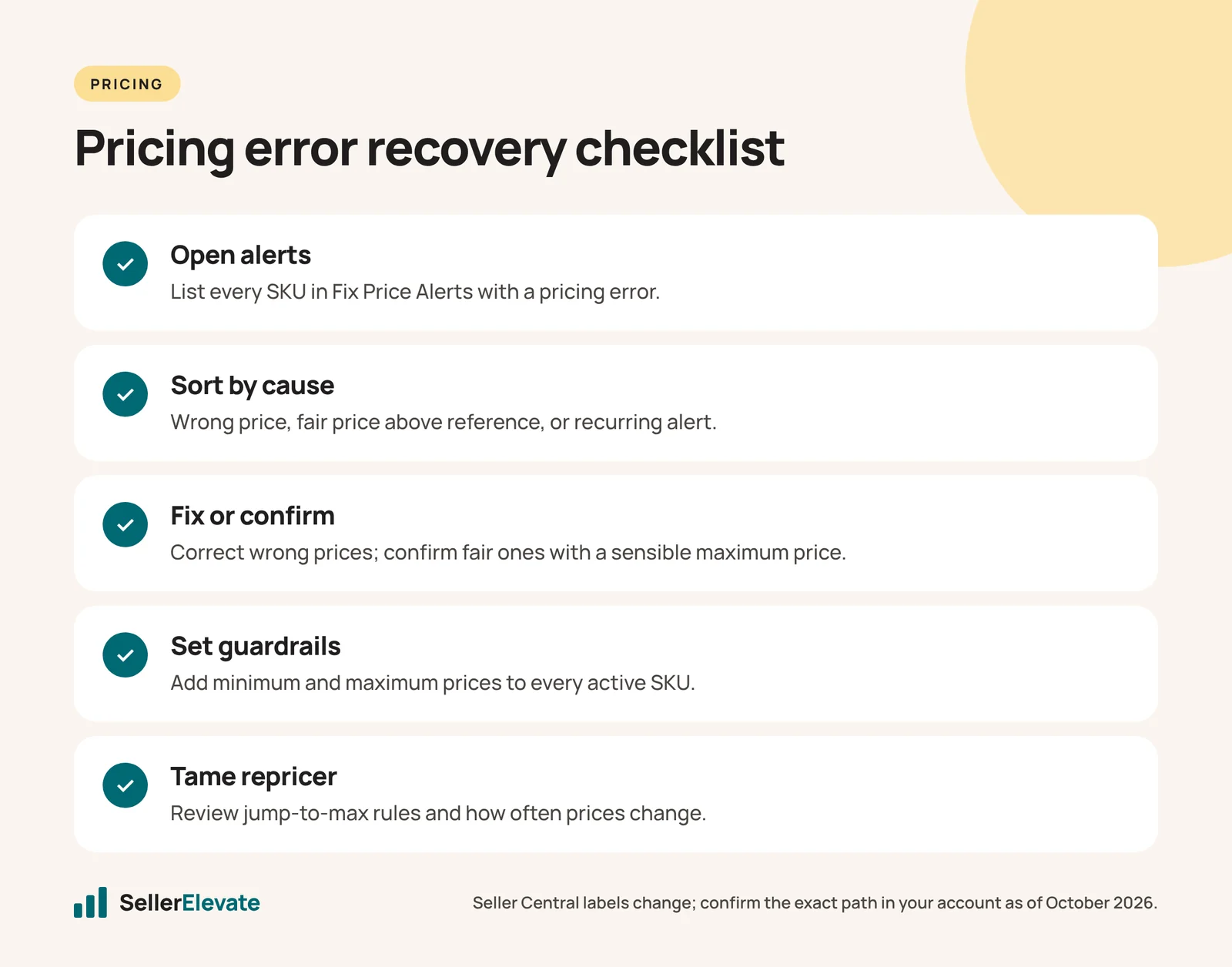
- Open Fix Price Alerts and export or list every SKU with a pricing alert.
- Sort them into the three situations above: wrong price, fair price above reference, recurring.
- Fix the wrong prices first, then confirm fair prices with a sensible maximum.
- Set a minimum and maximum on every active SKU that lacks them. Base the floor on break-even and the ceiling on your realistic top price, not an arbitrary multiple.
- Review repricer rules for jump-to-max behavior and change frequency.
- Open one case for recurring ASINs with your evidence, and keep the case ID.
Pricing is doing more work in your account than most sellers give it credit for, which we covered in your price is doing more work than your ads. If deactivations keep coming back across a large catalog, our account management team can take over the monitoring.
Frequently asked questions
Will Amazon tell me the reference price it used?
Not reliably. Amazon does not publish the exact reference price or threshold behind pricing-error checks. Fix Price Alerts sometimes shows a competitive or reference price for comparison. If the reference looks wrong, open a Seller Support case with the ASINs and your evidence, such as supplier invoices showing a cost increase.
Is a pricing error deactivation a policy violation?
It is an automated protective deactivation rather than a penalty in itself. That said, Amazon's fair pricing rules exist to stop prices that harm customer trust, and repeated or extreme high pricing can draw closer review. Fix alerts promptly and keep price changes within a sensible range.
How long does reactivation take after I fix the price?
Correcting or confirming the price in Fix Price Alerts usually reactivates the offer, but sellers report that some listings come back and are deactivated again on the next price change. Recheck within 24 hours, and if an ASIN keeps returning to the alert list, open a case.
Should I stop using a repricer to avoid pricing errors?
Not necessarily. Set a floor at break-even plus margin, a ceiling near your realistic top price, and limit how often and how far the repricer can move prices. Most repricer-triggered deactivations come from jump-to-max behavior when a competitor goes out of stock.
Sources
Get the honest version of your numbers
A free account audit from the person who would actually run your account.