Are product insert cards allowed on Amazon?
Yes. Insert cards are allowed if they don't ask for positive reviews, offer anything in exchange for a review, or steer unhappy buyers away from reviewing. Thank-you notes, setup and care instructions, warranty details and an Amazon support route are fine. Five stars printed next to a review request are not.
Key takeaways
- Insert cards are treated as buyer communication, so Amazon's review and feedback rules apply in full.
- Printing five stars next to a request for honest feedback still signals the rating you want and is not allowed.
- Conditional requests, incentives, review gating and QR codes to feedback forms are the most common insert violations.
- The most valuable insert explains setup and care, which reduces negative reviews at the source.
- Review generation is safer through Request a Review and Vine than through printed review requests.
Yes, product insert cards are allowed on Amazon, as long as they don’t ask for positive reviews, offer anything in return for a review, or steer unhappy customers away from reviewing. A card that thanks the buyer, explains how to use the product and gives a support route is fine. A card with five stars printed on it and “Love it? Leave us a review!” is not.
Most insert-card trouble comes from sellers who think they’re being careful. This post shows exactly where the line is, with wording you can copy.
What does Amazon's policy actually say about inserts?
Amazon doesn’t have a separate insert-card rulebook. The card is treated as a communication with the buyer, so the review and feedback rules apply to it in full. In a Seller Forums thread asking whether a five-star image was allowed, replies quoted the two relevant lines:
- “Review solicitations that ask for only positive reviews or that offer compensation are prohibited. You should not ask buyers to modify or remove reviews.”
- “You may request feedback from a buyer, but you may not pay or offer any incentive to a buyer for either providing or removing feedback.”
The seller in that thread wanted to print five stars next to a request for “honest unbiased feedback.” The replies were unanimous that it isn’t allowed. One seller wrote that a seven-figure business of theirs was “deleted over night for less.” That’s one person’s account, but the logic is sound: the word “honest” doesn’t cancel out a picture telling the buyer which rating to choose.
EcomCrew’s guide to insert cards puts the test well: “If a review request wouldn’t feel fair to someone who had a bad experience, it’s probably not compliant.” It adds a second test we use with clients: if you wouldn’t send the same message through Seller Central, don’t print it.
What wording is allowed, and what isn't?
Here is the comparison we give to anyone designing a card.
| Not allowed | Why | Compliant alternative |
|---|---|---|
| “Love it? Leave us a 5-star review!” | Asks for a positive review | “Your review helps other shoppers decide.” |
| Five gold stars printed next to the review request | Signals the rating you want | No star graphics near any review mention |
| “If you’re happy, please review. If not, contact us first.” | Diverts negative reviews | “Questions or problems? Contact us through Amazon. We’re here to help.” (separate from any review mention) |
| “Leave a review and get a free gift / 20% off” | Incentive for a review | Offer the gift to everyone, with no link to reviewing, or drop it |
| “Scan for a free extended warranty” leading to a page that asks for a review | Incentive plus off-Amazon review funnel | Warranty registration that never mentions reviews |
| QR code to a feedback form before the Amazon review | Collects and filters sentiment first | QR code to setup videos or a manual |
| “Please change your review if we fixed it” | Asking to modify a review | Fix the problem. Say nothing about the review |
| “Small family business, every 5-star review keeps us going” | Emotional pressure plus rating request | Tell the brand story without a rating request |
EcomCrew lists the same patterns as prohibited: positive or five-star requests, conditional language like “if you loved the product,” incentives such as discounts, refunds or free items, redirecting unhappy buyers, external links or QR codes that collect feedback first, and pressure-heavy messaging.
What’s safe, per the same guide: a thank-you, setup and care instructions, warranty or guarantee details, basic support contact information, and what it calls a “neutral review request.”
Can I mention reviews on an insert card at all?
You can, but there is little to gain. A neutral line such as “If you have a moment, you can share your experience on Amazon” is the kind of request EcomCrew describes as acceptable. It must say nothing about the rating, must apply equally to happy and unhappy buyers, and must not sit next to stars or smiley faces.
Our honest view: the review line on an insert card is the part most likely to get you in trouble and the part least likely to move your review count. The Request a Review button and Vine do the job with no ambiguity. We explain both in the only two sanctioned ways to get Amazon reviews.
What an insert card is very good at is reducing bad reviews by making the product easier to use. If your negative reviews say “hard to assemble” or “didn’t know how to clean it,” that’s what the card should fix.
What about "contact us" and warranty registration?
This is where well-meaning sellers get caught.
A support line is fine. “Questions about setup? Message us through your Amazon orders page” helps the buyer and keeps contact on Amazon. The problem starts when the card links support to reviews (“Contact us before leaving a review”) or when the support route is a website that collects emails, asks for star ratings, then sends happy customers to Amazon and unhappy ones to a support ticket. That is review gating, whatever it’s called.
Warranty registration works the same way. Registering a warranty is fine. A warranty page that offers an extension for leaving a review is an incentive.
The forum thread above lists related problems sellers have been caught on through inserts: monetary rewards for reviews, requests to contact the seller outside Amazon, and follow-up messages pressuring customers to review.
A compliant insert card template
Here is a layout you can adapt. Keep it to one card, both sides.
Front
Thank you for choosing [Brand].
Getting started: [two or three setup steps, or “Scan for a 60-second setup video” linking to a video page with no review request]
Care: [one line on cleaning or storage]
Back
Need help? Message us anytime through Your Orders on Amazon. We usually reply within one business day.
[Optional neutral line: “If you have a moment, you can share your experience on Amazon to help other shoppers.”]
[Warranty terms, if you offer one, with no mention of reviews]
What’s missing on purpose: stars, the word “positive,” any “if you’re happy” clause, any gift or discount, and any URL that collects ratings.
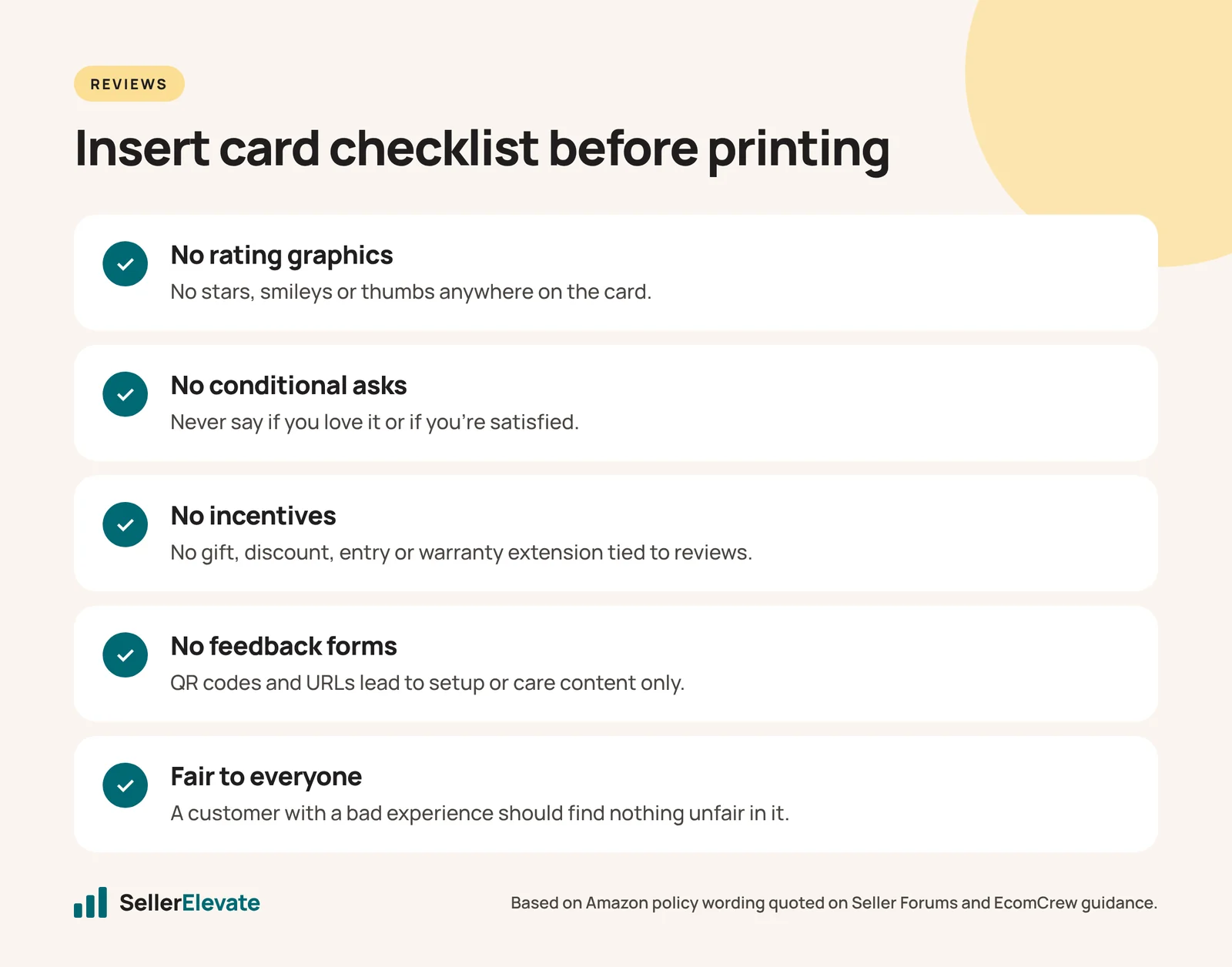
Checklist before you print
- No stars, smileys, thumbs or rating graphics anywhere on the card.
- No conditional review requests (“if you love it,” “if you’re satisfied”).
- Support contact is not placed as a step before reviewing.
- No discount, gift, entry, refund or warranty extension tied to a review.
- Every QR code and URL leads to content (setup, manual, recipes), not a feedback form.
- No request to change or remove a review.
- The card would be fair to read for a customer who had a bad experience.
- Someone other than the designer has checked it against this list.
What we'd do this week
- Pull a physical copy of every insert in your current stock, including old ones still sitting in FBA inventory. Old cards from a previous designer are a common source of problems.
- Run each one through the checklist. If one fails, stop using it now and plan how to remove it from inbound and stored units.
- Reprint with a support-and-setup focus. Use your last 50 critical reviews to decide what the card should explain.
- Move review generation to Request a Review and Vine.
- Keep a dated copy of every insert version. If you’re ever asked about review activity, you’ll want to show what was in the box and when.
If your listing already has a review flag, read Amazon removed all my reviews: the unusual review behavior flag before changing anything else. For insert design that teaches rather than asks, our design team can help.
Policies change. As of October 2026, check the current review and communication policies in Seller Central before printing.
Frequently asked questions
Can I put a QR code on my insert card?
Yes, if it leads to useful content such as a setup video, manual or recipes. A QR code that leads to a feedback form, a star-rating page, or anything that collects sentiment before sending people to Amazon is review gating. EcomCrew lists external links and QR codes that collect feedback first as prohibited.
Can I offer a free gift on my insert card?
Only if it has nothing to do with reviews. A gift or discount tied to leaving a review is an incentive and is prohibited. Even a vague link, such as a warranty extension on a page that also asks for a review, creates the same problem. If in doubt, drop the offer from the card.
Do I need to remove old inserts already in FBA?
If an old card fails the checklist, yes. Stop sending it in new shipments and plan how to deal with units already in storage, for example through a removal order and repack. Old cards from a previous designer or supplier are a common source of review flags.
Can I ask buyers to contact me before leaving a review?
No. Placing support contact as a step before reviewing diverts unhappy buyers away from reviews, which is review gating. You can offer support through Amazon messaging, but keep it separate from any mention of reviews and make it available to every buyer.
Sources
Get the honest version of your numbers
A free account audit from the person who would actually run your account.