
Why did Amazon remove all reviews for unusual review behavior?
Amazon flagged review activity on the ASIN as abnormal. That can mean cross-marketplace review sharing was switched off, reviews from policy-violating buyers were removed, or the listing was penalized for manipulation. Check each marketplace and Account Health first, because only an enforcement action has a real appeal route.
Key takeaways
- "Unusual review behavior" can mean review sharing was disabled, abusive buyers' reviews were removed, or the listing was penalized.
- If reviews still show in some marketplaces but not others, you are most likely dealing with review sharing, not deletion.
- Amazon support told one seller there was no appeal process for disabled review sharing and advised waiting 96 hours.
- An enforcement appeal needs a root cause, corrective actions, preventive measures and evidence.
- Rebuild through Request a Review and Vine, never by buying or soliciting replacement reviews.
When Amazon says it detected “unusual review behavior” on an ASIN, it usually stops showing some or all of that product’s reviews, and in serious cases blocks new reviews from appearing. Before you panic or appeal, work out which of three different actions actually happened, because the fix for each is different and one of them has no appeal route at all.
We see sellers lose a week arguing the wrong case. This post is about avoiding that.
What does "unusual review behavior" actually mean?
Amazon rarely tells you. In one Seller Forums thread, a seller found every review gone from a child ASIN in the US, UK, Germany, France, Italy and Spain, while the same reviews were still visible in the Netherlands and Sweden. Support gave no specifics beyond “unusual review behavior.” The seller said they had only ever used Vine and FBA, with no incentivized reviews.
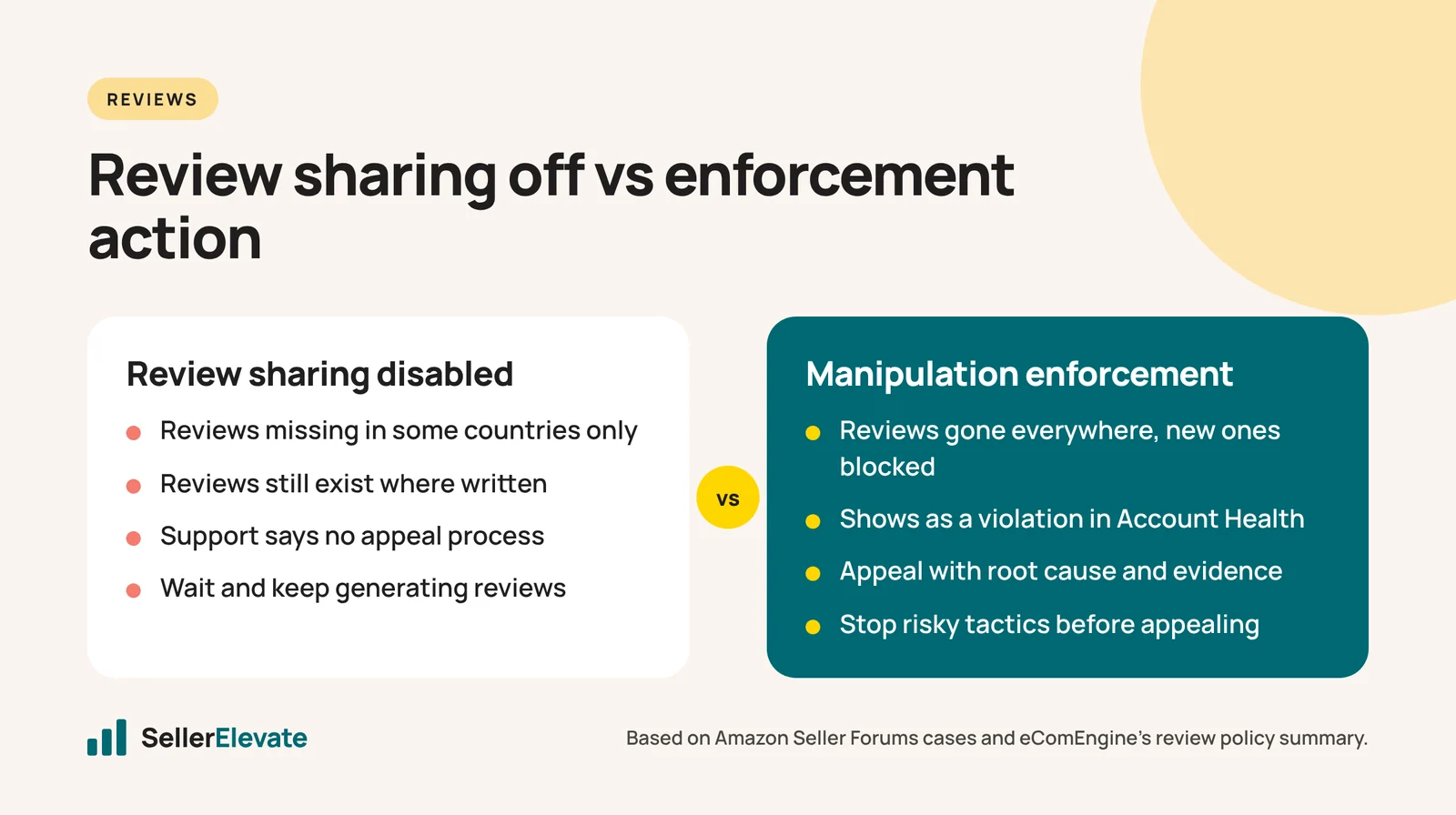
The support answer is the important part: “There is no appeal process or resolution currently available, although review sharing might be enabled again in the future.” The case was closed with advice to wait 96 hours, and a note that “some reviews may be flagged as not shareable.”
Read that carefully. That seller had not necessarily lost their reviews. They had lost review sharing, the mechanism that lets reviews written in one marketplace display in another. The reviews still existed where they were written.
So “Amazon removed all my reviews” can mean one of three things:
| What you see | What probably happened | Can you appeal? |
|---|---|---|
| Reviews vanish in some countries but remain in others | Cross-marketplace review sharing turned off for the ASIN | Support told one seller no appeal process exists |
| A handful of reviews disappear, with a message about “buyers who have violated Amazon’s policies” | Amazon removed reviews from accounts it flagged as abusive | Not really, and it may help you |
| Every review gone everywhere, new ones not posting | An enforcement action against the listing for review manipulation | Yes, through Account Health, with a root cause |
The second case shows up in another forum thread where Amazon’s message read: “Amazon has taken an action to remove from your listings product reviews that were associated with buyers who have violated Amazon’s policies.” The seller lost one review in the US and called it “good news for a change,” because it was a review dragging their rating down.
What usually triggers the flag?
Amazon’s systems look at patterns, not individual reviews. The ones we would check first, in rough order of how often they cause trouble:
- Insert cards and follow-up messages that steer ratings. Asking for five stars, or only asking happy customers, is a review solicitation problem even without a payment. We cover the wording in detail in what you can say on a product insert card.
- Anything of value exchanged for a review. Refunds, gift cards, free product, discounts, entries into a draw. eComEngine’s summary of Amazon’s review policy lists these as prohibited and lists removal of all product reviews and blocking of future reviews among the penalties.
- Friends, family and staff. Reviews from people connected to the business, including former employees and their households.
- Third-party “review services” and rebate sites. Including ones that claim to be compliant because they don’t require a positive review.
- Variation abuse. Merging an unrelated product into a variation family to borrow its reviews, or reusing an old ASIN with reviews for a new product. See our note on merging ASINs into a variation before you try this.
- Sudden velocity. A jump in reviews that doesn’t match your sales trend, for example after a giveaway or a push from a deal group.
If none of these apply and you only used Vine and the Request a Review button, it is possible the flag is about other accounts reviewing your product, not you. That is the situation where the waiting game and the “not shareable” explanation tend to apply.
How do I appeal if I think the flag is wrong?
First, find out whether there is anything to appeal. Check Account Health for a review-related policy violation on the ASIN. If there is none, and the reviews still show in the marketplace where they were written, you are most likely dealing with review sharing, and support has told sellers there is no appeal for that. Open a case to confirm, keep it short, and ask one question: “Is this a policy enforcement against the ASIN, or has cross-marketplace review sharing been disabled?”
If there is an enforcement, treat it like any other Account Health appeal. Amazon wants a root cause, the actions you took, and what stops it happening again. Here is an outline we use:
Appeal outline: review manipulation flag on an ASIN
- Identify the ASIN and the notice. Quote the notification date and wording.
- Root cause. State plainly what you found when you reviewed your review-generation activity in the last 12 months. If an insert card asked for five stars, say so. If you found nothing, list exactly what you checked.
- Corrective actions taken. For example: destroyed remaining insert stock, stopped all follow-up messaging outside Request a Review, ended the agreement with a third-party service, removed staff from any reviewing.
- Preventive measures. Who now approves any customer-facing message, which channels you use for reviews (Vine, Request a Review), and how you will audit this quarterly.
- Evidence. Photos of the old and new inserts, screenshots of cancelled services, the new message templates.
Do not claim you did nothing wrong if you haven’t checked. A vague denial is the most common reason these appeals bounce.
What makes it worse?
- Asking customers to repost reviews. Contacting buyers to ask them to write the review again is another solicitation problem.
- Buying reviews to “rebuild.” If the flag was about manipulation, a second round is how a listing issue becomes an account issue. eComEngine lists account suspension and fund withholding among the penalties.
- Relisting under a new ASIN. Creating a duplicate to escape the block can be treated as circumventing enforcement.
- Arguing across multiple cases. Opening several cases with different explanations makes your story look inconsistent.
How do I rebuild reviews compliantly after a block?
Once the block is lifted, or if you only lost sharing, the rebuild looks like normal, boring review generation:
- Request a Review. Use the button or an approved automation for every eligible order. eComEngine notes the request must be sent within 30 days of order completion.
- Amazon Vine, if the ASIN is eligible. Vine reviews are disclosed and sanctioned. See the only two sanctioned ways to get Amazon reviews for how we use both.
- Fix whatever the existing reviews complain about. A product that earns better reviews on its own beats any review tactic.
- Keep ads running on the strength of the listing, not the stars. A drop in rating hits conversion. That is the time to tighten targeting, not to raise bids.
Expect the rebuild to be slow. That is the point: steady review velocity that matches sales is what looks normal to Amazon.
What we'd do this week
- Check every marketplace. Look at the ASIN in each country. If reviews show in some and not others, you are almost certainly looking at review sharing, not deletion.
- Open Account Health and look for a review-related violation on the ASIN.
- Audit the last 12 months of inserts, emails, buyer messages, giveaways and any third-party services. Write down what you find, good or bad.
- Stop anything risky immediately, even if it’s not the cause.
- Appeal only if there’s an enforcement, using the outline above.
- Restart compliant review requests through Request a Review and Vine.
If the flag sits alongside other account health warnings, get help before it compounds. Our account suspension and reinstatement team handles review-related appeals, and Amazon’s 2026 crackdown on fake and AI-written reviews explains why enforcement has tightened.
Policies change. As of October 2026, confirm the current review policy wording in Seller Central before you act on any of this.
Frequently asked questions
Will my reviews come back after the flag?
Sometimes. In the review sharing case, Amazon support told a seller that sharing might be enabled again in the future and to wait 96 hours, while some reviews could stay flagged as not shareable. If the listing was penalized for manipulation, reviews only return if an appeal succeeds.
Can a competitor trigger the unusual review behavior flag?
Amazon looks at patterns of review activity, including reviews from accounts it considers abusive, so activity you didn't cause can be involved. If you have only used Vine and Request a Review, document that clearly in a short case and avoid making claims about competitors you can't evidence.
Does Amazon Vine cause review flags?
Vine is a sanctioned program and is not itself a policy violation. The seller in the forum thread we cite used only Vine and FBA and still lost review sharing, which suggests the flag can relate to other reviewing accounts. Keep using Vine, but don't combine it with any off-Amazon review tactics.
Should I create a new ASIN to get a fresh start?
No. Relisting the same product under a new ASIN to escape a review block can be treated as circumventing enforcement, which risks the account, not just the listing. Resolve the flag on the existing ASIN through Account Health and rebuild reviews there.
Sources
Get the honest version of your numbers
A free account audit from the person who would actually run your account.