How do I add video to Amazon Sponsored Products ads?
Open an existing Sponsored Products campaign in the Ads console, select the product, and upload 1 to 5 short feature videos with a descriptive label each. Shoppers see up to three thumbnails in search and on detail pages. The format launched in the US on November 11, 2025 for sellers and vendors.
Key takeaways
- Sponsored Products video lets US sellers and vendors upload 1 to 5 feature videos per product inside existing campaigns.
- Amazon reports +67% higher click-through rate and +9% higher conversion rate for campaigns with video, though other coverage cites different figures.
- Amazon says shoppers who watched 5+ seconds were 2x more likely to purchase from the brand within 7 days.
- Each clip should show one feature, with the product in use in the first second and a short benefit overlay.
- Use different videos in different ad groups so the opening matches the search.
You add video to Amazon Sponsored Products by uploading 1 to 5 short feature videos per product inside an existing campaign in the Ads console. It has been available to US sellers and vendors since November 11, 2025, and Amazon reports campaigns with video saw higher click-through and conversion rates than those without.
Whether it works for you depends almost entirely on the first few seconds of each clip, because shoppers see it in search results, muted, while scrolling. Below is how the format works, how to set it up, and a production brief you can hand to any editor.
How does Sponsored Products video work?
It is not a separate ad type. Video sits inside your normal Sponsored Products campaigns and shows in the same places those ads already appear: search results and product detail pages.
According to Amazon’s launch announcement:
- You upload 1 to 5 product feature videos per product, each with descriptive text.
- Shoppers see up to three video thumbnails and can switch between them to watch the feature they care about before clicking through to the detail page.
- It is available to sellers and vendors in the US, set up through the Ads console or the Amazon Ads API.
- You can apply bid adjustments to increase the likelihood of your ad showing in the video placement.
PPC Land adds that you can apply different feature videos across ad groups for the same product. That is useful: one ad group targeting “waterproof” searches can lead with the waterproofing clip, and another targeting “lightweight” searches can lead with weight.
As of early October 2026 we have not seen an official expansion beyond the US. Check the console if you sell in other marketplaces.
Does it actually work?
Amazon’s numbers are encouraging, but they are Amazon’s numbers, and the sources do not agree on them.
- Amazon’s launch page says campaigns with video showed +67% higher click-through rate and +9% higher conversion rate than campaigns without, and that customers who watched for 5+ seconds were 2x more likely to purchase from that brand within 7 days.
- PPC Land’s launch coverage instead reports a 9% click-through rate increase, based on Amazon internal US data from 2025, and an 8x higher click-through rate among shoppers who watched more than 5 seconds.
We are going with Amazon’s own page, but the honest summary is: Amazon says video helps, the exact size of the lift depends on which write-up you read, and none of it is your category or your product. Advertisers who choose to add video are also likely to be the ones with stronger brands and listings, which flatters any with-versus-without comparison.
What all of the figures agree on is the 5-second mark. Shoppers who keep watching past it behave very differently. So the job of your video is to earn those first seconds.
How do you set it up?
The process, based on Amazon’s announcement and Trellis’s setup guide:
- Pick the products. Start with ASINs that already get steady Sponsored Products traffic and have features that are easier to show than describe.
- Produce 3 to 5 short clips per product, one feature per clip (brief below).
- Open an existing Sponsored Products campaign in the Ads console and select the ad group and product.
- Upload the videos with a short descriptive label for each. The label is the text shoppers see on the thumbnail, so write it as the benefit (“Fits in a carry-on”), not the feature name.
- Set a placement bid adjustment if you want to push for the video placement. Start small.
- Submit for moderation. Videos show once approved.
On specs: Amazon’s announcement does not list them. Trellis lists 6 to 45 seconds, MP4 or MOV, 16:9 for search placements, 1080p recommended and files under 500 MB, and notes videos autoplay without sound. Treat those as a guide and confirm the current requirements in the console as of October 2026 before you shoot.
What should go in the first 3 seconds?
Assume three things: no sound, a small screen, and a thumb already moving. In that environment the first three seconds have one job, which is to show the product doing the one thing the shopper searched for.
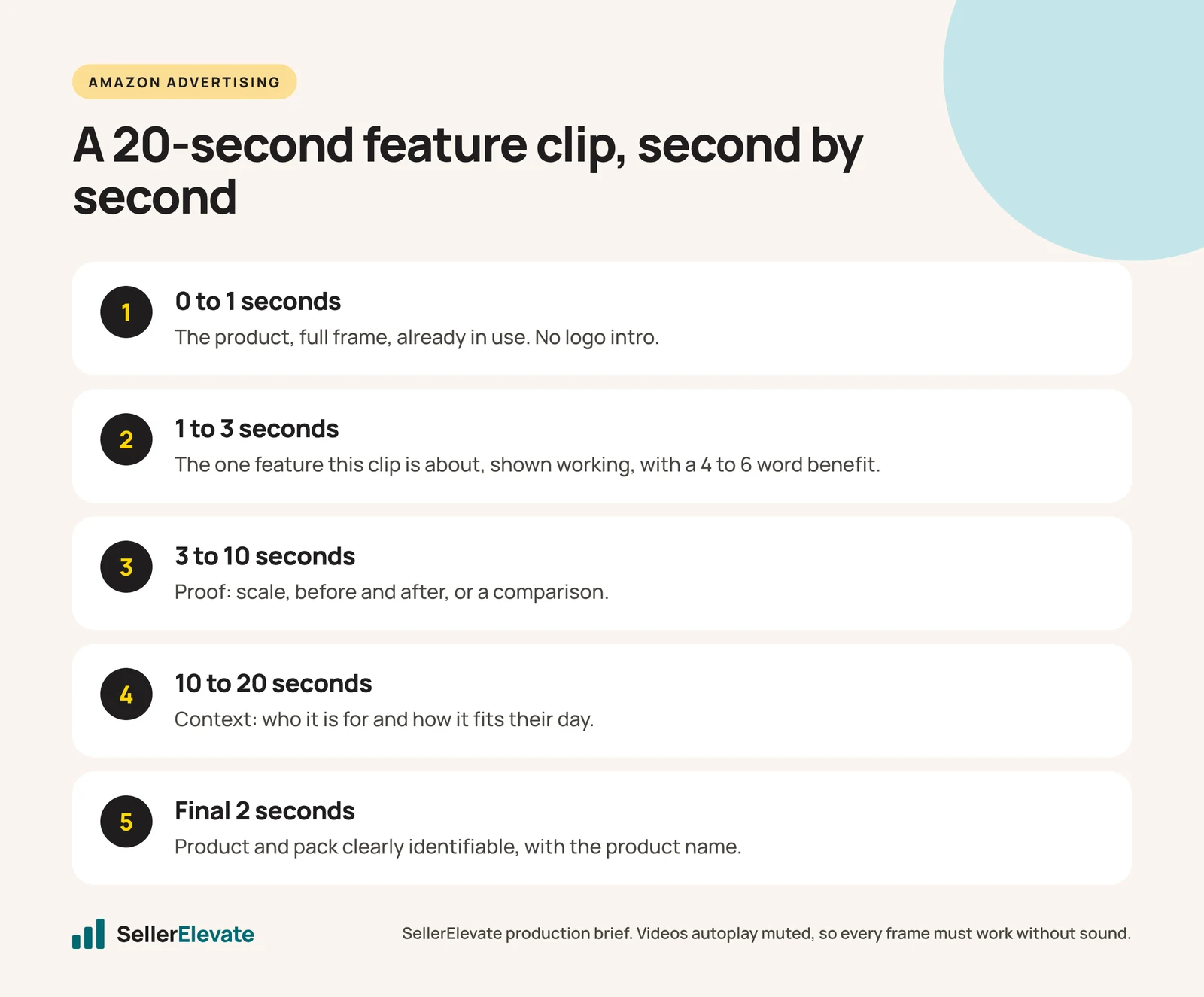
Here is the brief we would hand an editor for each clip:
| Seconds | What is on screen | Text overlay | Avoid |
|---|---|---|---|
| 0 to 1 | The product, full frame, already in use | None, or 3 words max | Logo intros, brand animations, packaging |
| 1 to 3 | The single feature this clip is about, shown working | The benefit in 4 to 6 words | Talking heads, wide scene-setting shots |
| 3 to 10 | Proof: scale, before and after, a comparison | One supporting fact | Long paragraphs of text |
| 10 to 20 | Context: who it is for, how it fits their day | Optional | Repeating what was already shown |
| Final 2 | Product and pack, clearly identifiable | Product name | A hard sell |
A few practical rules:
- One feature per video. The format is built for shoppers to choose the feature they care about. A clip that covers everything gives them no reason to choose it.
- Show, do not tell. “Leakproof” in text is weaker than a bottle turned upside down over a laptop.
- Readable at thumbnail size. Big text, high contrast, few words. If you would not read it on a phone held at arm’s length, cut it.
- Match the clip to the search. Use different videos in different ad groups so the opening matches the keyword.
- Reuse what you already have. PPC Land notes advertisers can repurpose existing long-form assets. A 60-second brand video often contains three good 10-second feature clips.
Video also matters more now that headlines and lifestyle images are disappearing from Sponsored Brands as Product Collection ads are retired. If you need help with production, this is the kind of work our design team does.
Can AI tools make these videos?
Partly. Amazon’s free Creative Agent makes video and display ads, but the ad products Amazon lists for it are Sponsored Brands, Sponsored Display, DSP and Streaming TV, not Sponsored Products. You may be able to adapt its output, but check the specs and moderation rules first. For close-up feature demonstrations, real footage of the real product is still hard to beat, and it avoids any question about whether the product shown is accurate.
What we'd do this week
- Choose three ASINs with steady Sponsored Products spend and a feature that is easier to show than describe.
- Write a one-line brief per clip: the feature, the opening shot, and the 4 to 6 word overlay.
- Cut 3 clips per ASIN from existing footage where possible, 15 to 20 seconds each.
- Upload them to the ad groups whose keywords match each feature, with a modest placement bid adjustment.
- After four weeks, compare click-through rate, conversion rate and cost per order against the same period before. Rising ad costs make it more important to know what each format actually returns.
If you would like us to look at which of your ASINs are good candidates, start with our Amazon PPC team.
If you also run video on Meta, the first-seconds rules are similar, but the volume you need is higher. We cover that in Meta Andromeda and creative volume.
Frequently asked questions
Do I need Brand Registry for Sponsored Products video?
Amazon's announcement lists sellers and vendors as eligible in the US, and we did not see a Brand Registry requirement stated there. Requirements can change, so check eligibility for each product in your Ads console as of October 2026 before you plan or pay for production.
How long should a Sponsored Products video be?
Trellis lists 6 to 45 seconds as the allowed range. We aim for 15 to 20 seconds per clip with one feature each, because shoppers decide in the first few seconds and the format lets them switch between clips. Confirm current specs in the console before shooting.
Do Sponsored Products videos play with sound?
Trellis notes the videos autoplay without sound. Plan every clip to work muted: show the product working, use large text overlays with a few words, and treat any voiceover as a bonus for shoppers who tap to listen rather than the main way you explain the product.
Is Sponsored Products video available outside the US?
Amazon's launch announcement lists the United States only. As of early October 2026 we have not seen an official expansion to other marketplaces. If you sell in Europe, Canada or elsewhere, check the campaign settings in your Ads console for availability.
Sources
Get the honest version of your numbers
A free account audit from the person who would actually run your account.