What should I know before scaling my Amazon PPC budget?
You should know which ASINs are profitable after ad spend, which keywords bring repeat sales, your break-even CPC, which placements waste budget and how conversion rate moves week to week. Break-even CPC is contribution margin per unit times conversion rate. Without these five answers, raising budget amplifies an unknown.
Key takeaways
- Build contribution margin per ASIN: selling price minus referral fee, FBA and shipping, landed cost and advertising allocated to that ASIN.
- Judge keywords on sixty to ninety days of data, not a seven-day window, sorted by orders rather than spend.
- Break-even CPC equals contribution margin per unit times conversion rate, so an $8 margin at 10% conversion gives $0.80.
- Break-even ACoS is your contribution margin percentage; keep 35% after all costs except advertising and an ACoS above 35% loses money.
- Track unit session percentage weekly by child ASIN, because conversion moves before sales and ranking do.
Most brands want growth. Few have the instrumentation to survive it.
They launch ads, raise budgets, run a promo. There is motion, and motion feels like progress. But underneath there is no system, which means nobody can tell the difference between a campaign that is working and one that is merely spending.
Here is what we walk into in most struggling accounts:
- No clear understanding of what is actually driving rank
- Auto campaigns running untouched for weeks
- Keywords bleeding spend without converting
- TACoS climbing and nobody able to say why
- Creative that has not been tested since launch
And the stated goal is still “scale.”
Scaling an account you cannot see is not growth. It is amplifying an unknown quantity and hoping.
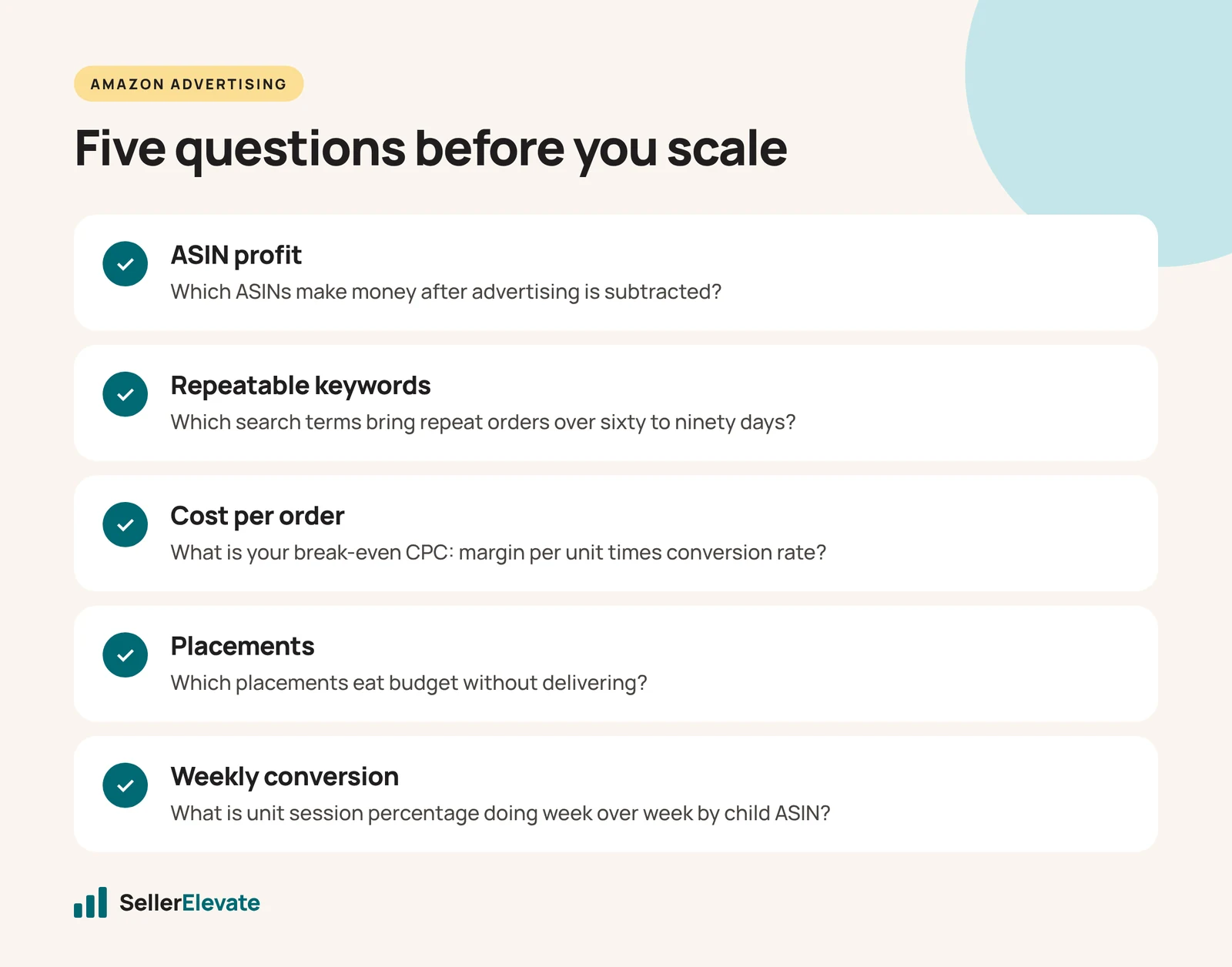
Below are five questions. If you cannot answer all five for your own account today, that gap is the thing to fix before the budget goes anywhere near up.
1. Which ASINs are actually profitable after ad spend?
Not which ones sell. Which ones make money once advertising is subtracted.
Most sellers know their gross margin and most know their blended ACoS, and almost nobody puts the two together per ASIN. That is where the nasty surprises live: a catalogue where two products carry the account and eight quietly lose money on every unit, funded by the winners.
Where to look: Business Reports, Detail Page Sales and Traffic by Child Item for units and sessions. Your advertised product report for spend and ad sales by ASIN. Then build contribution margin yourself: selling price, minus referral fee, minus FBA and shipping, minus landed cost, minus advertising allocated to that ASIN.
What good looks like: every ASIN you actively advertise has a positive contribution margin, or a deliberate reason for not having one — a loss-leader in a bundle, a launch, a defensive play on a competitor. The problem is not losing money on a SKU. The problem is losing money on a SKU by accident.
2. Which keywords bring repeatable sales, and which are noise?
A keyword that produced one order in three months is not a keyword. It is a coincidence you are paying for weekly.
The mistake is judging keywords on a seven-day window, where almost everything looks either brilliant or dead depending on chance. Pull sixty to ninety days. Terms with genuine repeat orders belong in exact match with real budget. Terms with clicks and no orders across ninety days belong in your negative list, permanently.
Where to look: the Search Term Report over a long window, sorted by orders rather than spend. If you have Brand Registry, Search Query Performance in Brand Analytics is better again — it shows impressions, clicks, cart adds and purchases by query, plus your share of each, so you can see whether you are losing at the impression stage or the conversion stage.
What good looks like: you can name your top ten revenue-driving search terms from memory, and your negative list is longer than your target list.
3. How many clicks does it take you to convert, and what does that cost?
This is the question that turns advertising from a feeling into arithmetic, and it is the one most sellers have never calculated.
Clicks per order is simply clicks divided by orders. If your conversion rate is 10%, it takes about ten clicks to make a sale. Multiply by your average CPC and you have your real cost per order.
Ten clicks at $1.20 is $12 to acquire one order. If your contribution margin per unit is $8, you are losing $4 every time that campaign works as designed.
Run it the other way and you get the number that should govern every bid you set:
Break-even CPC = contribution margin per unit × conversion rate
An $8 margin at a 10% conversion rate gives you $0.80. Bid above that on a keyword converting at 10% and you are buying losses, no matter how good the ROAS looks on a dashboard that ignores your cost of goods.
The same logic gives you break-even ACoS, which is just your contribution margin percentage. If you keep 35% after all costs except advertising, an ACoS above 35% loses money on that sale. Whether that is acceptable depends on whether you are buying rank you intend to keep.
What good looks like: you know your break-even CPC by ASIN, and your bids are set against it rather than against what the keyword “feels” worth.
4. Which placements are eating budget without delivering?
Top of search, rest of search and product pages behave completely differently. Top of search usually converts best and costs most. Product page placements are often where budget quietly disappears, especially on auto campaigns nobody has opened in a month.
If you are applying one bid across all three, you are overpaying for the weak placement or underbidding the strong one. Usually both.
Where to look: the placement report inside campaign management, and the placement breakdown on each campaign.
What good looks like: placement multipliers set deliberately per campaign, reviewed monthly, with the underperforming placement either adjusted down or excluded.
5. What is your conversion rate doing week over week?
Not the month. The week.
Conversion rate is the earliest warning system you have. It moves before sales do, and it moves before your ranking does. A listing that quietly drops from 14% to 11% will show up in revenue three weeks later, by which point you are debugging an advertising problem that started as a content or competitive one.
Things that move it: a competitor changing price, losing the buy box, a suppressed image, a new negative review cluster, a stock-out changing your badge, a seasonal shift in query mix.
Where to look: unit session percentage, weekly, by child ASIN.
What good looks like: you can see the trend line without building a report, and a two-point drop triggers an investigation the same week rather than the following quarter.
What does this clarity change when you scale?
When these five are second nature, something changes in how decisions get made. Scaling stops being a leap of faith and becomes arithmetic: you know which ASIN can absorb more spend, at what CPC, on which keywords, in which placement, and what will happen to margin when you do it.
That is also when TACoS becomes readable rather than alarming. A launch-phase product legitimately sits at 25 to 40%. Growth phase, 12 to 20%. A mature product should be at 5 to 12% with organic sales carrying half to two thirds of revenue. If you are three years in and still spending like a launch, the number is telling you something specific, and it is not “raise bids.”
Most brands do not need more traffic. They need a tighter loop between what the numbers say and what gets changed on Monday.
That is unglamorous work. It is also the difference between an account that scales and one that just gets more expensive.
If you cannot answer all five questions for your account, that is what our free audit produces — the five answers, in writing, plus what they imply. You keep it whether or not you work with us.
Frequently asked questions
How do I calculate break-even CPC on Amazon?
Multiply your contribution margin per unit by your conversion rate. An $8 margin at a 10% conversion rate gives a break-even CPC of $0.80. Bid above that on a keyword converting at 10% and you are buying losses, however good ROAS looks on a dashboard that ignores cost of goods.
What is break-even ACoS?
Break-even ACoS is your contribution margin percentage before advertising. If you keep 35% after all costs except advertising, any ACoS above 35% loses money on that sale. Whether that is acceptable depends on whether you are deliberately buying rank you intend to keep, such as during a launch.
How long should I wait before negating an Amazon keyword?
Look at sixty to ninety days, not seven, because short windows make almost everything look brilliant or dead by chance. Terms with genuine repeat orders belong in exact match with real budget. Terms with clicks and no orders across ninety days belong on your negative list permanently.
Which Amazon ad placement converts best?
Top of search usually converts best and costs most. Product page placements are often where budget quietly disappears, especially on unattended auto campaigns. Check the placement report in campaign management, set placement multipliers deliberately per campaign, review them monthly and adjust down the underperforming placement.
Get the honest version of your numbers
A free account audit from the person who would actually run your account.