
How do you analyze Amazon competitor reviews with ChatGPT?
Export a few hundred reviews from 3 to 6 competitors, split them into 1 to 3 star and 4 to 5 star files, and ask ChatGPT or Claude for ranked themes with counts and verbatim quotes. Then verify the quotes and counts in your spreadsheet and turn the top gaps into bullets, images and product fixes.
Key takeaways
- Generic summaries come from too few reviews, mixed star ratings and vague prompts.
- Split reviews into 1 to 3 star and 4 to 5 star files before prompting, as Helium 10 also recommends.
- Ask for counts and verbatim quotes so you can check the model did not invent themes.
- Most review insights become listing fixes, and a few become product fixes for the next production run.
- Verify every analysis by spot-checking quotes, recounting keywords and rerunning the prompt in a fresh chat.
Yes, ChatGPT or Claude can turn competitor reviews into a useful list of complaints, use cases and buyer language, but only if you feed them enough reviews, split by star rating, and ask for counts and quotes rather than a summary. Paste 20 mixed reviews and ask “what do customers think?” and you will get a generic paragraph you could have written yourself.
Below is the workflow we use, the exact prompts, and how to turn the output into listing changes and product fixes.
Why do most review analyses come back generic?
Three mistakes cause almost all of it.
Too few reviews. Twenty reviews from the first page are mostly recent, mostly positive, and often from the same week. You need a few hundred across the competitive set to see patterns.
Mixed star ratings. When five-star praise and one-star anger sit in the same paste, the model averages them into “customers generally like the product but some report issues.” Helium 10’s guide to using ChatGPT for FBA makes the same point: download reviews and split poor scores (1 to 3 stars) from good scores (4 to 5) before you ask anything.
Vague prompts. “Summarize these reviews” invites a summary. Ask for a ranked list with a count and a verbatim quote for each theme, and the model has to show its work. Quotes also let you check it didn’t invent anything.
How do you collect and prepare the reviews?
You need the review text, star rating, date and, ideally, the variation (size or color). Options:
- Review export tools. Helium 10’s Review Insights extension exports reviews and lets you filter by rating. Other research tools do something similar.
- Browser extensions that pipe reviews into an AI. Tools like Shopon on the Chrome Web Store run sentiment analysis on reviews from an Amazon product page and pull out likes, dislikes and usage patterns. They are fast for a single ASIN. For a competitive set you want the raw export so you can control the prompt.
- Manual copy. Works for a small niche. Slow.
Whatever you use, stick to tools that operate within Amazon’s terms, and don’t paste customer names or other personal details into a chatbot. You only need the review text.
Then prepare the file:
- Pick 3 to 6 direct competitors plus your own ASIN.
- Export reviews from the last 12 to 24 months so you’re analyzing the current version of each product.
- Put everything in one spreadsheet with columns: ASIN, brand, star rating, date, variation, review text.
- Split into two files: 1 to 3 stars, and 4 to 5 stars.
- Remove near-empty reviews (“Great!”, “ok”).
On length: the Helium 10 guide suggests pasting up to 50 reviews at a time into ChatGPT. Current models accept far more, especially when you upload a file instead of pasting. If you have more reviews than fit, run the same prompt on batches and merge the outputs with a final prompt.
Which prompts actually work?
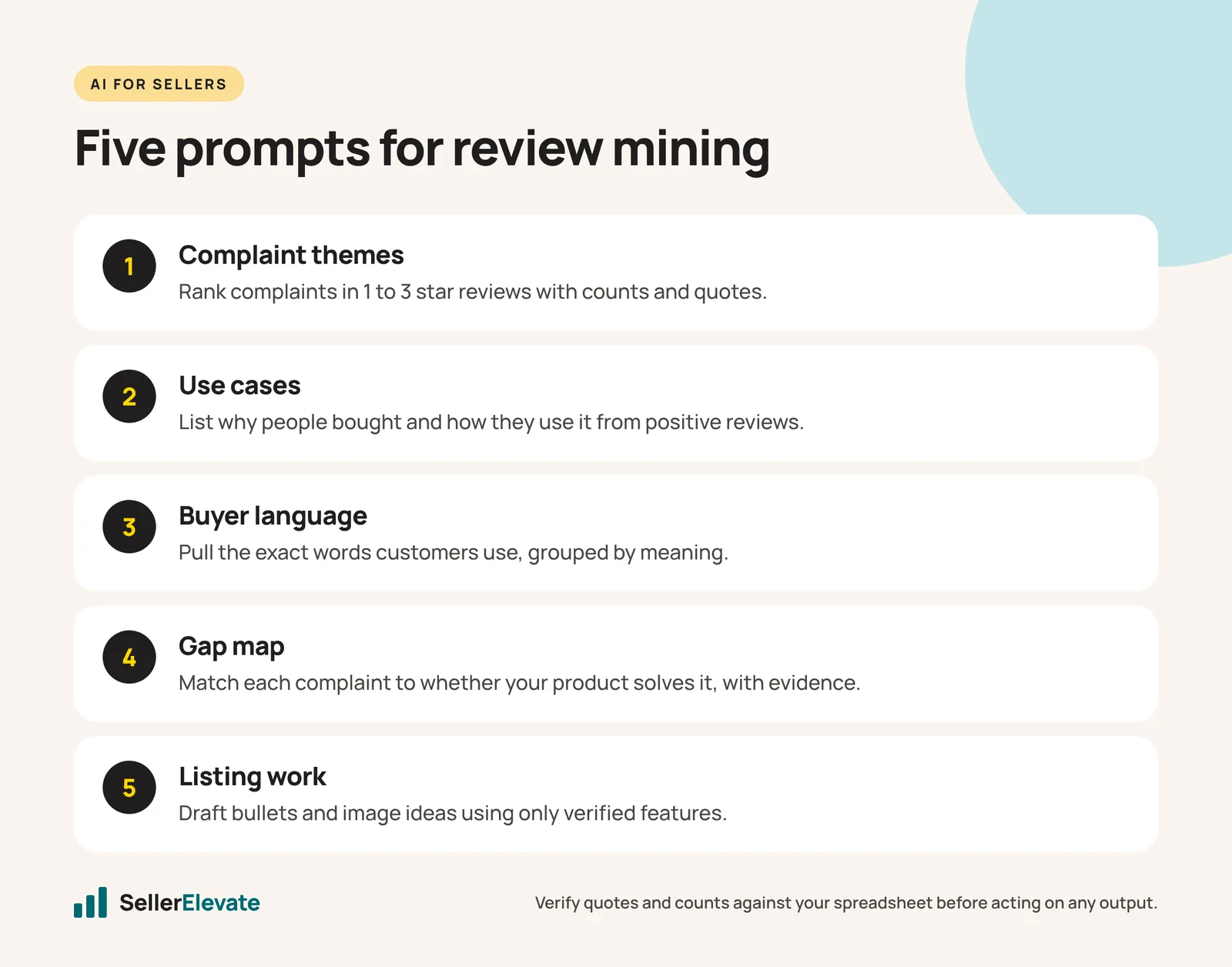
Run these in order. Each one builds on the last. Replace the bracketed parts.
Prompt 1: Complaint themes (on the 1 to 3 star file)
You are analyzing negative Amazon reviews for [product type] from these brands: [list]. The attached file has columns ASIN, brand, rating, date, variation, text. Group the complaints into themes. For each theme give: a short name, the number of reviews that mention it, which brands it affects most, and two verbatim quotes. Rank themes by count. Do not invent themes that aren’t in the text. If a review mentions several problems, count it under each.
Prompt 2: Why people bought and how they use it (on the 4 to 5 star file)
From these positive reviews, list (a) the use cases customers describe, (b) who they bought it for, (c) the alternatives they mention switching from, and (d) the specific features they praise. Give a count and one verbatim quote for each item. Rank by count.
Prompt 3: Buyer language
List the exact words and short phrases customers use to describe the product, its benefits and its problems. Group them by meaning. Flag phrases that appear in five or more reviews. I will use these in listing copy, so keep the customers’ wording, not yours.
Prompt 4: Gap map
Using your previous answers, build a table with columns: complaint theme, number of reviews, which competitors suffer from it, whether our product [describe yours or paste your listing] solves it (yes, partly, no, unknown), and the evidence. Then list the three gaps with the most reviews that we could credibly claim to solve.
Prompt 5: Turn it into listing work
Based on the gap map, draft five bullet point angles and three image concepts that address the top objections. Each must be something our product actually does: [list verified features]. Do not add claims we have not listed.
That last instruction matters. Models will happily write “clinically proven” or “lifetime durability” if you let them, and that’s your liability, not theirs.
What does the output look like in practice?
A hypothetical example for a mid-priced insulated lunch bag, with four competitors and about 600 reviews:
| Theme (1 to 3 stars) | Reviews | Most affected | What we’d do |
|---|---|---|---|
| Zipper breaks within months | 74 | Brands A, C | Image showing zipper close-up; bullet naming the zipper spec if ours is better |
| Doesn’t keep food cold all day | 61 | All | State realistic cold-hold time with an ice pack; avoid overclaiming |
| Smaller than expected | 48 | Brand B | Scale image with a standard container inside; dimensions in the first bullet |
| Smell or lining odor | 22 | Brand D | Mention lining material if ours differs; check our own reviews for the same |
The numbers above are illustrative, not from a real analysis. The pattern is typical though: one or two durability issues, one expectation gap about size, and one performance claim that everyone overstates.
Notice the third column. Most review insights end up as listing fixes (images and bullets that answer the objection before purchase) and a few as product fixes (a better zipper for the next production run). Both are worth more than another summary. Our guide to listing images covers how to turn objections into an image stack.
How do you check the AI didn't make things up?
Do these checks every time:
- Spot-check quotes. Search the spreadsheet for three or four of the verbatim quotes. If one doesn’t exist, rerun with a stricter prompt and treat the whole output with suspicion.
- Sanity-check counts. Filter the spreadsheet for a keyword from the top theme (“zipper”). If the model said 74 and you find 15, the count is wrong.
- Run it twice. Ask the same question in a fresh chat. Themes that appear both times are real. Themes that appear once are noise.
- Read 30 reviews yourself. You will catch context the model misses, like a complaint that’s really about a seller’s shipping, not the product.
- Check your own ASIN with the same prompts. If your top complaint matches a competitor’s, you don’t have the advantage you thought.
ChatGPT and Claude both handle this well, and both work better with an uploaded file than a giant paste. Where a tool can run analysis on a spreadsheet, ask it to count keyword matches directly rather than estimate. Either model is fine. The prompt and the checks matter more than the model.
What we'd do this week
- Export reviews for your top competitor set (3 to 6 ASINs) from the last 12 to 24 months.
- Split by rating, clean out empty reviews, and run Prompts 1 to 3.
- Verify quotes and counts using the five checks above.
- Build the gap map (Prompt 4) and pick the three biggest gaps you can credibly solve.
- Rewrite one bullet and brief one new image for each gap. Test with a main image or listing change rather than changing everything at once.
- Send the product-fix list to whoever owns the next production order.
- Repeat quarterly, and after any competitor relaunch.
If you’re doing this as part of a launch, the same review data feeds product research decisions. And if you want more prompts you can reuse, see our list of ChatGPT and Claude prompts Amazon sellers actually use.
Frequently asked questions
How many reviews should I give ChatGPT?
Enough to see patterns, usually a few hundred across your competitive set. Helium 10's guide suggests pasting up to 50 at a time, but current models accept far more when you upload a file. If you hit limits, run the same prompt on batches and merge the results.
Is ChatGPT or Claude better for review analysis?
Either works. Both perform better with an uploaded file than a long paste. The prompt structure and your verification checks matter more than the model you choose, so pick the one you already use and keep the workflow consistent from quarter to quarter.
Can I just use a Chrome extension instead?
For one ASIN, yes. Extensions like Shopon run sentiment analysis on a product page and pull out likes, dislikes and usage patterns. For a full competitive set, export the raw reviews so you control the prompts and can verify the counts.
How often should I repeat competitor review analysis?
Quarterly is a good default, plus after any competitor relaunch or new version. Reviews shift as products change, and a complaint that was common a year ago may already be fixed by the brand you are trying to beat. Check your own ASIN each time too.
Sources
Get the honest version of your numbers
A free account audit from the person who would actually run your account.